NeoBrowser cannot display in full screen mode after BOOX Go7 4.2-relUpdate.

User 01
はるか · 2026-05-22 17:13 · 1 comments
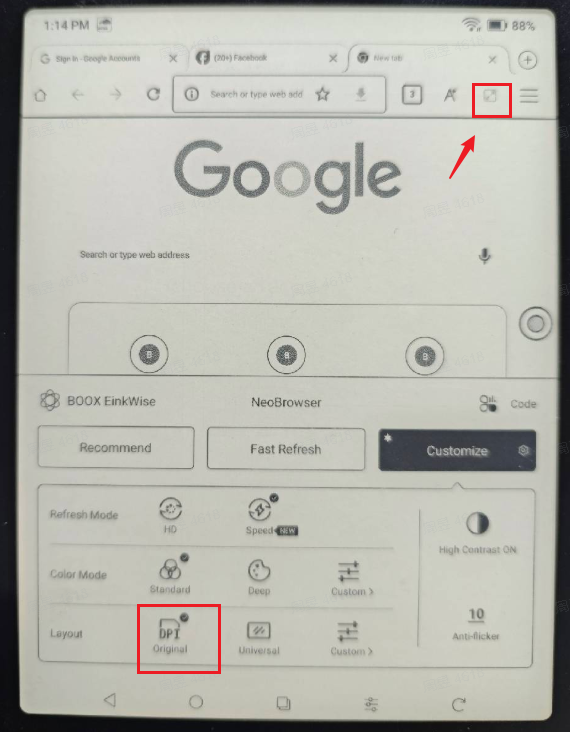
After updating today, I can no longer use full-screen mode in NeoBrowser. Is this how it's supposed to be? Or is there a setting to change the full-screen mode? I'm using a translation app. Sorry if the English is strange.
1 comments

You need to log in to comment
  • BOOX Shop Service 2026-05-22 17:18

    Dear customer, 
    Upon checking, the NeoBrowser in firmware 4.2 supports the full-screen mode. In this case, you could open the NeoBrowser > swipe down from the top right of the screen to bring up the Control Center > Layout > Select "Original". Then, please check if it is possible to see the full-screen button.