Multipage templates on note air 4c

-
正式評論

Dear customer,
Thank you for contacting us and sorry for the inconvenience.
The Note Air 4 C supports setting a multiple-page PDF as a template of the notepad. In this case, you can transfer the PDF to the "noteTemplate" folder of the device. Then, you can select the PDF as the template when create a notepad.
If the problem persists, we appreciate it if you could reproduce this issue on your device and please take a video to record the problem. After that, please send us the video and please submit feedback via "Settings" > "FAQ & Feedback" > "+" on your device. Please make sure that you tick the option "send logs" and please describe the question in the feedback. Our tech team will check for the issue and get back to you on the feedback system.
Many thanks for your effort and understanding. -

I have tried the method you have described above and it is still not working. I sent a video through the Feedback page on my device and got an irrelevant response from the robot. Will the video be looked at and will a proper response be provided?
0 -

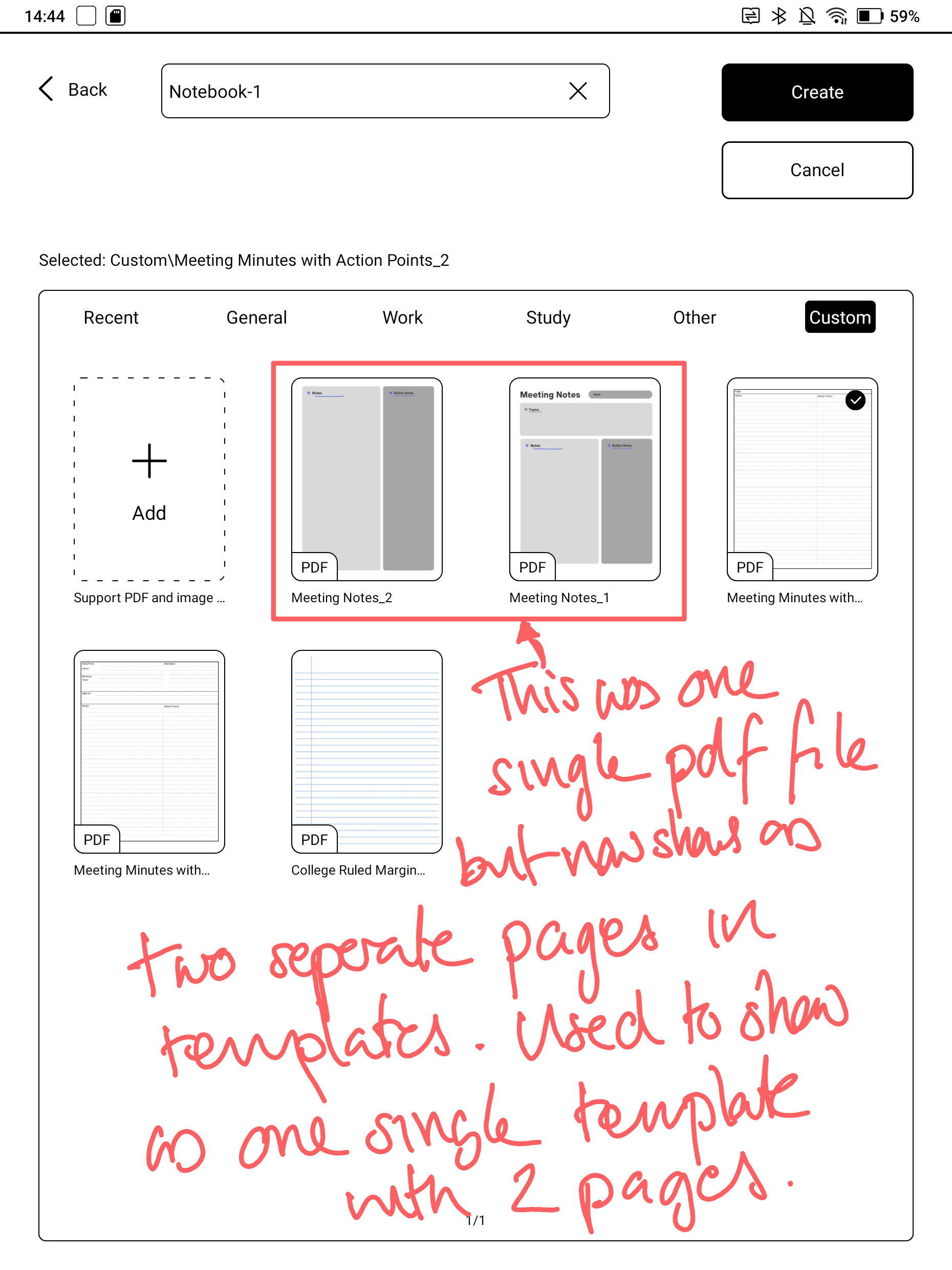
Just a note to say that I have the same issue on both the Go 10.3 and the Note Air 4C since the release of V4. I can add the multi page pdf into the custom template area but it treats each page as a separate template so I can only select one of them. When I then go to use the template in notes it only lets me select one of those pages for the template. When I add another page to the notes it uses the template of the previous page. Whilst I can of course change the template for that page to the one I want, previously it would have automatically used the next page on the pdf for the template but it now does not do that.
 1
1 -
Hi Simon,
We apologize for the inconvenience.
We are afraid that it is unable to apply 2 different PDF templates in one notepad. However, this issue is known by our tech team and they will optimize the software in the future.
In this case, you can convert the format of the template from PDF to PNG. The BOOX device supports applying 2 different PNG templates in one notepad. Many thanks for your understanding.
0 -

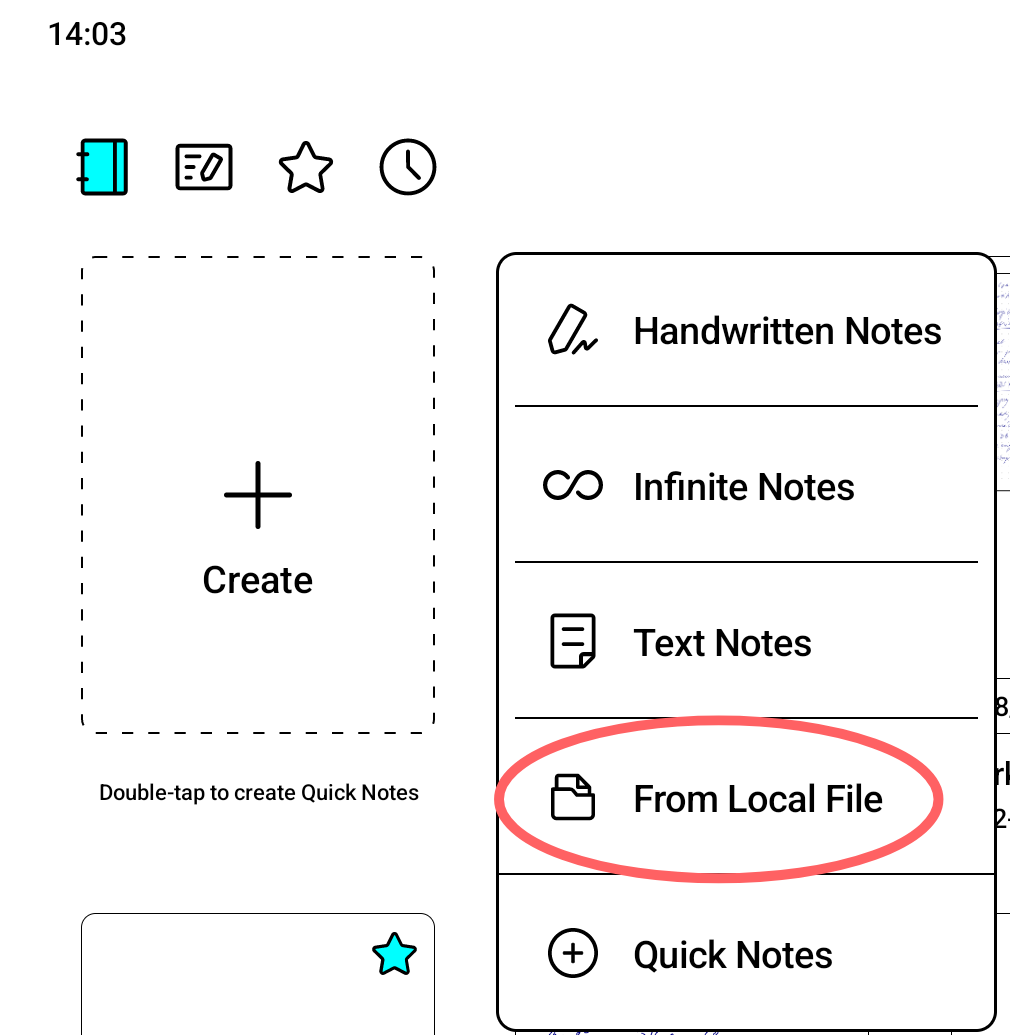 I found out the issue. The proper way to create a notebook with multipage PDF template is to choose creation "From Local File". See picture.0
請登入寫評論。
評論
5 條評論