Handwriting toolbar

Hello
Is it possible to add brushes to the Floating Toolbar in NeoReader?
My use case is that I like to swap between highlighting with a marker, and writing notes in the margins with a pen. I prefer to have all toolbars minimised while reading. At the moment, when I want to swap brushes, I must open the Floating Toolbar, open the Handwriting Toolbar, then change brushes, then close the Handwriting Toolbar, then close the Floating Toolbar. That this takes 5 steps is cumbersome.
Ideally, I could just open one toolbar and swap brushes and close the toolbar. In fact, I would prefer if the two toolbars were unified, because I don't use that many features regularly, and the ones I do are buried away behind a sub-menu.
I am on Boox Note Air4C with Firmware V4.0
Cheers
-
正式評論

Dear customer,
You can open a book > tap on the center of the page to bring up the menu > click "Notes" to bring up the floating handwriting toolbar. Then, you can add different pens/brushes by clicking the "add brush" button.
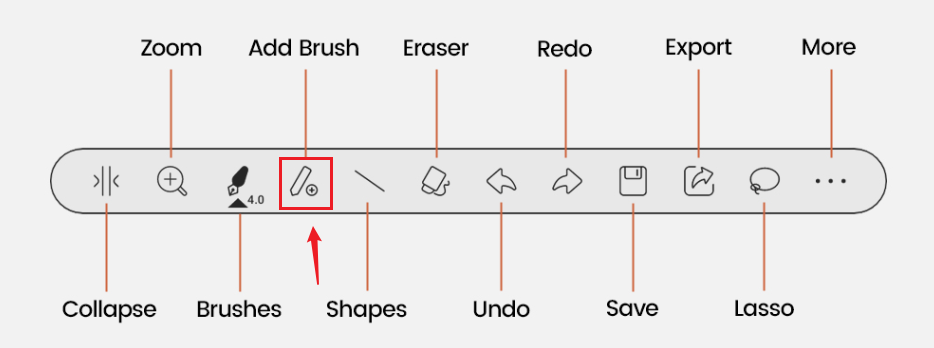
After that, you can quickly switch different pens/brushes in one click.
-
Thanks for the response! I already know how to add brushes to the the Handwriting Toolbar, but I would like to add them to the Standard Floating Toolbar. See this page for the distinction.
If this is not possible, then alternatively I would like to open or close the Handwriting Toolbar with a single tap or gesture.
My issue is with the overall flow for swapping brushes and returning to a clean view, as described above.
0
請登入寫評論。
評論
2 條評論