Cumbersome saving/exporting comments and notes

There is a fellow who writes:
"I've realized that it is possible to "export" notes to various file formats such as pdf, png etc."
I don't know how he does it because when I save my comments (those highlined chunck of texts) to my Goolge drive, they will be saved as html files, I have no other chance. The huge problem comes afterwork: when I tried to read back those files, they either 1. They look like a non executable html. That means that all html tags are also displayed, making the reading process useless; and 2. If I take step further, converting them to any readlabe formt, they look nice but the don't display any of the cited pages.
What can I do in order to save my comment files on Google Drive directly as at least .txt files? I own a Air 3C (I think)
-
正式評論

Dear customer,
In this case, you can follow the steps below to export the annotations to TXT format.
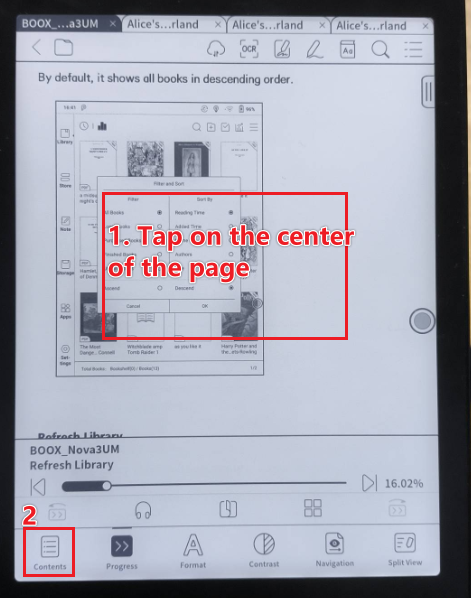
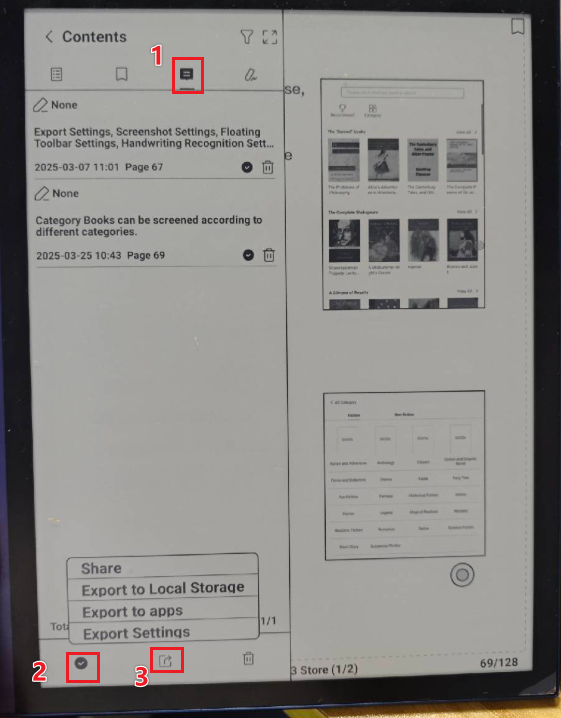
To export the handwriting notes to PDF or PNG format, you can follow the steps below:
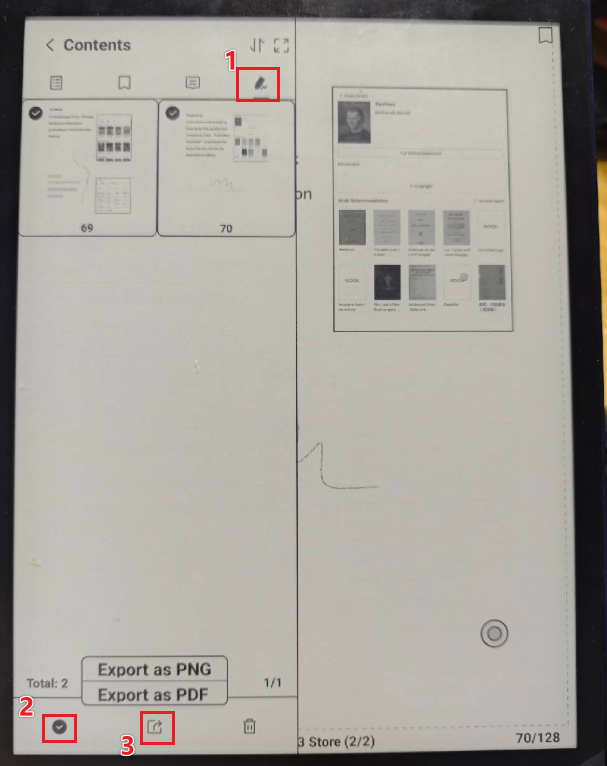
After you export the annotations and handwriting notes, you can upload the files to Google Drive. Or you can click the "Share" button to share the exported files to Google Drive.
-
Hi,
It's not about handwriting notes but "text comments" I do directly on the document I am reading.
0 -
Dear customer,
We would like to confirm the following:
1) The app you are using to read the document is the built-in NeoReader.
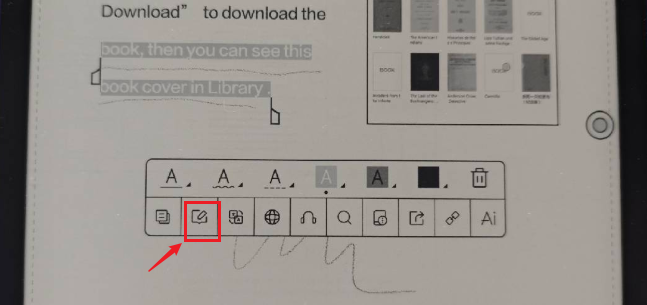
2) If you use the NeoReader to read the document, are the "text comments" you are referring to the handwritten notes that are converted to text by double tap? Or if the "text comments" you are referring to are the annotations like in the picture below:
 0
0
請登入寫評論。
評論
3 條評論