Floating tool bar issue

In neoreader app, how to get the floating tool bar back from hiding?
I tried to swipe from the side bezel, but it dose not work. I am using a Note Air, latest firmware.
I had disabled the touch function on the floating tool bar and then accidently hide the tool bar.
Now I cannot change pages or zoom out!
1
-
正式評論

Hello,
Thanks for your post. Apology for any inconvenience has caused.
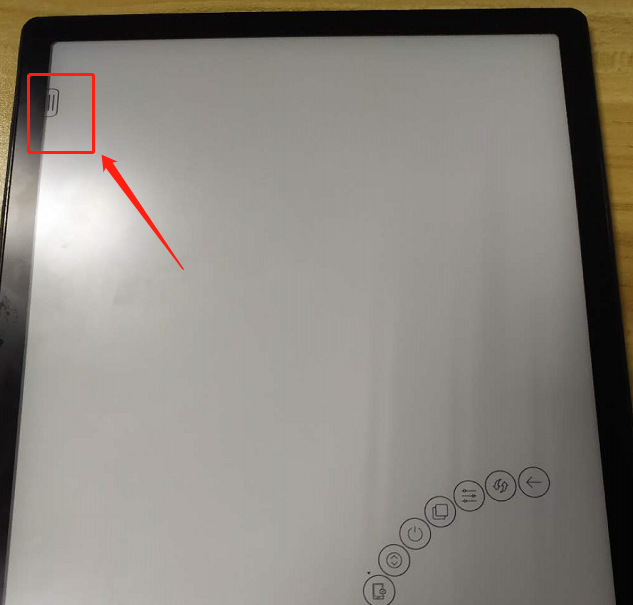
\You could click the hidden icon as below.
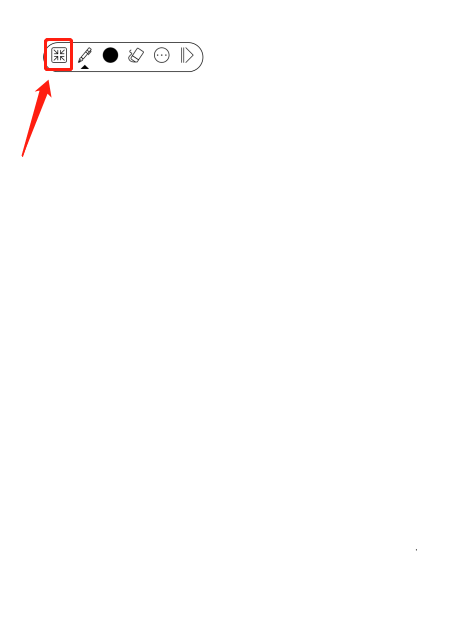
And this small toolbar would pop up. Click the icon in red.
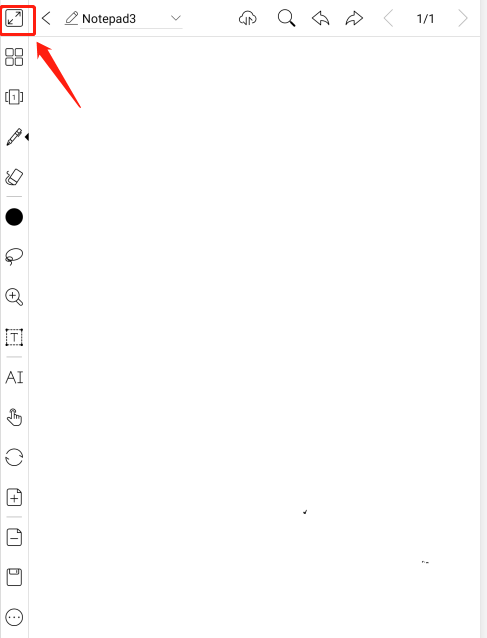
So you could see the complete icon. When you click the icon in red below, the tool bar would be hidden again.
Thank you for your attention.
請登入寫評論。
評論
1 條評論