Note 2 - Issues with neo reader (Natigation -> crop lines don't match what is shown.) and minor bugs.

Firmware build number: 2020-12-01_11-06_3.0_f6de5a6
Neoreader version: 23154 - 88ea767 (23154)
Hello Boox support,
When I open a pdf in neo reader, select the navigation sub-menu, choose "More settings" and adjust the cropping to my preference, the cropping does not match what I chose in the settings.
This has the effect that for e.g. multi-column papers, the 'zoom level' fluctuates when switching view on a given page which is very distracting.
I've attached two figures showing the issue:
In this figure, I set the page cropping. As you can see, the cropping should happen in the middle of the line saying "6.3.2 A deceptive Parallel"

In this figure, you can see the incorrect page cropping. As you can see, the cropping has moved down two lines:
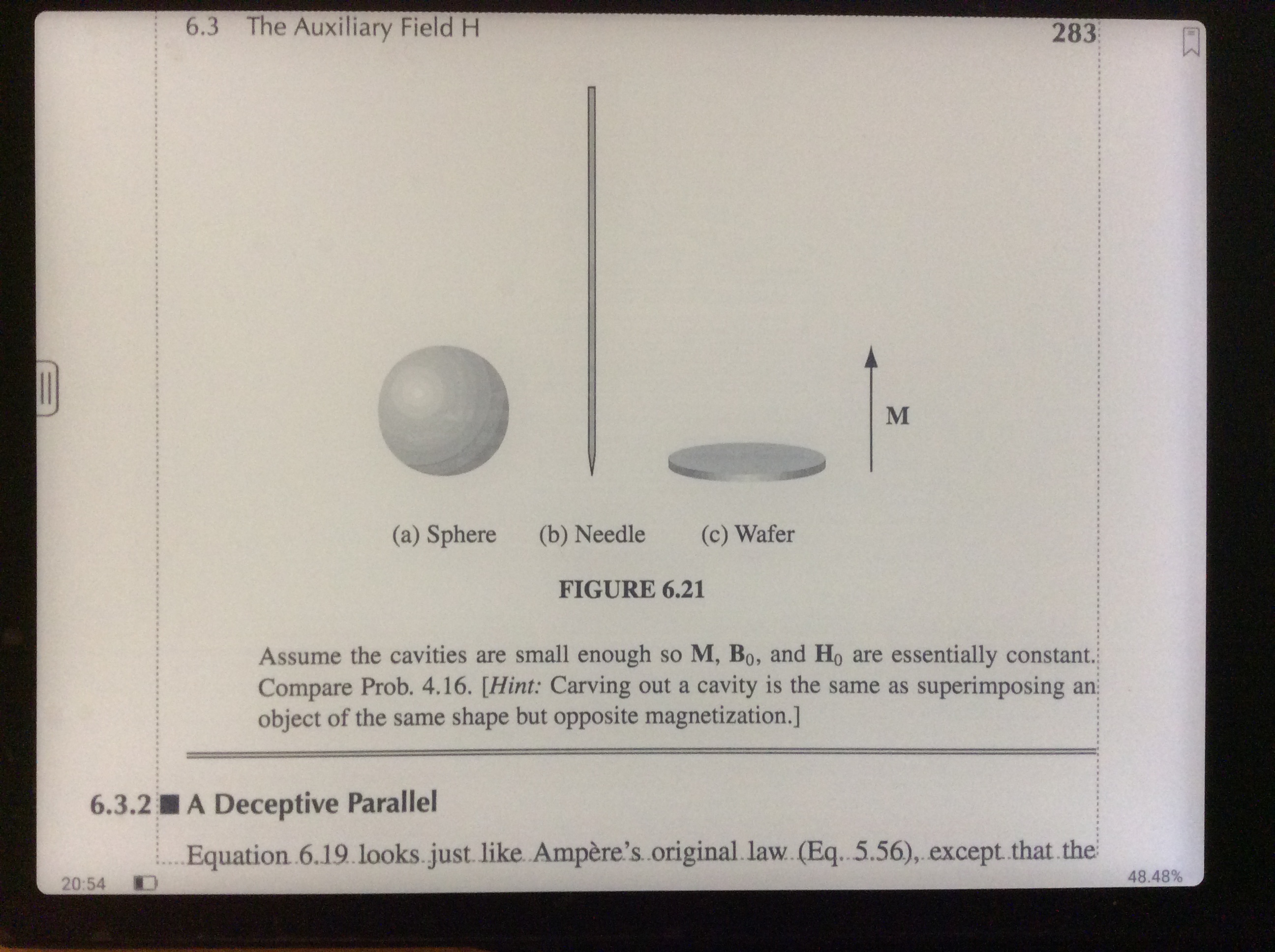
Feature requests:
* Give an option to apply the 'zoom level' of the largest tile, to all tiles in the cropping tool. (would also to some degree fix the issue above)
* Extend the range of the 'Margin' slider in the 'Format' submenu. The largest margin is not wide enough for proper notes. A left/right align margin would also be great - or even a separate left and right margin and the option to make the margins equal just like the light controls. Allowing negative margins would also be great for some "noisy" documents. Consider changing the slider to e.g. a box where you can just input the margin as a number instead of going through trial and error with the slider.
Bugs:
* For some reason swiping left and right changes page and this cannot be disabled in the settings. This behavior causes accidental page-turns and renders the "Hide the floating Toolbar's Indicator when it s collapsed" setting in "General Settings" completely useless, as you cannot recall the toolbar as your swipes are registered as page-turns.
System bugs:
* When you have a note open, let the device enter sleep by timeout, and wake the device quickly, the notes app sometimes becomes unresponsive and has to be restarted.
I hope you can provide solutions to these problems. It's a great product, and I'm looking forward to see what you create in the future.
Best regards,
-
正式評論

Hello Simone,
Thanks for your post. Apology for any inconvenience that has caused.
In this case, you are suggested to submit bugs/questions on Feedback via Settings/ Feedback on your device. Please make sure that you tick the option "send logs" while sending the Feedback so that we can analyze and diagnose the exact problem better. Our technical team will reply to you via email within 2 working days after you submit the Feedback.
And we will transfer your requests to our technical team to see if they could help in the near future. Thanks for your cooperation.
-
I think you forgot to change the name in your 'copy/paste' reply. You could just remove the 'Hello, XYZ' line, it would be just fine without.
Are you telling me that I have to supply logs to debug a neo-reader bug, which happens literally every time you manually set the cropping? It would take the software team seconds to boot up the software and enter the cropping menu to reproduce the issue.
Do you have an online feedback form I can fill out instead of having to write out all this again on the tablet itself?
Best regards, me.
0 -

Hello me,
That's Boox support for you ;)
It's unfortunately very poor at the moment but once bugs are communicated and debugged properly they're usually fixed.
I agree that an on-device feedback sucks for all kinds of bugs except those that occur 1/1e6 times. I have a way to submit feedback's directly from the web (bypassing the need to type directly into the device). Let me know if you'd be interested in this and I will host it publicly for boox users.
It'd be great to have a direct ticket logging system for Boox so power users can report legit software issues directly to developers.
1 -
Hello Oxdriff,
I ended up sending a mail to help@onyx.com and got a proper response, so I hope that's enough.
I'm gonna wait and hope for a fix. Thank you for offering your help ;).
0
請登入寫評論。
評論
4 條評論