Note Templates Appearing Washed Out on Note Air 2 After Firmware Update

Hi everyone,
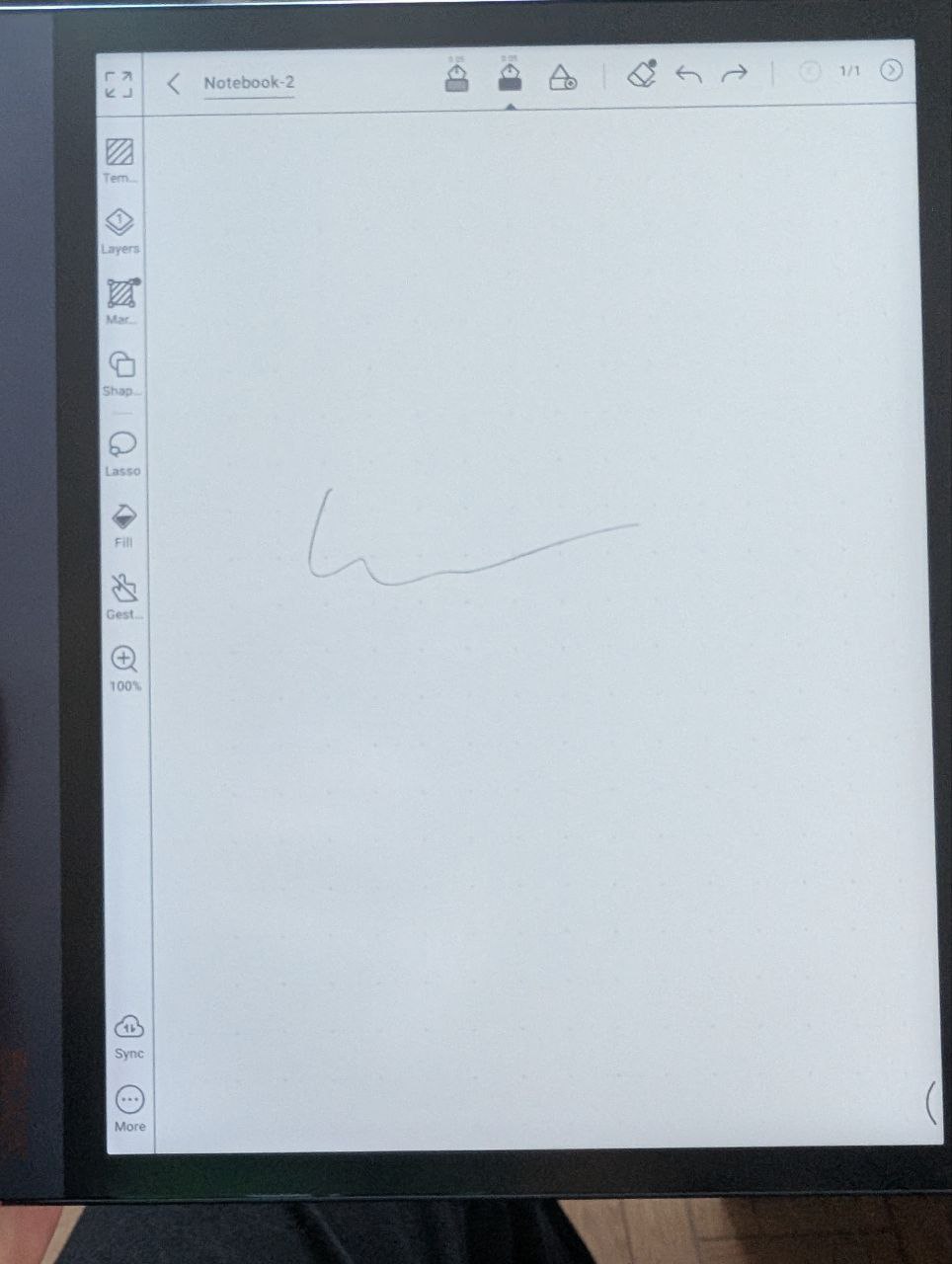
I’ve been using a Note Air 2 for a while now, and it’s been working great—until a few firmware updates ago. Recently, I’ve noticed that note templates (like grid lines) appear washed out on the device’s display, as if they weren’t fully drawn.
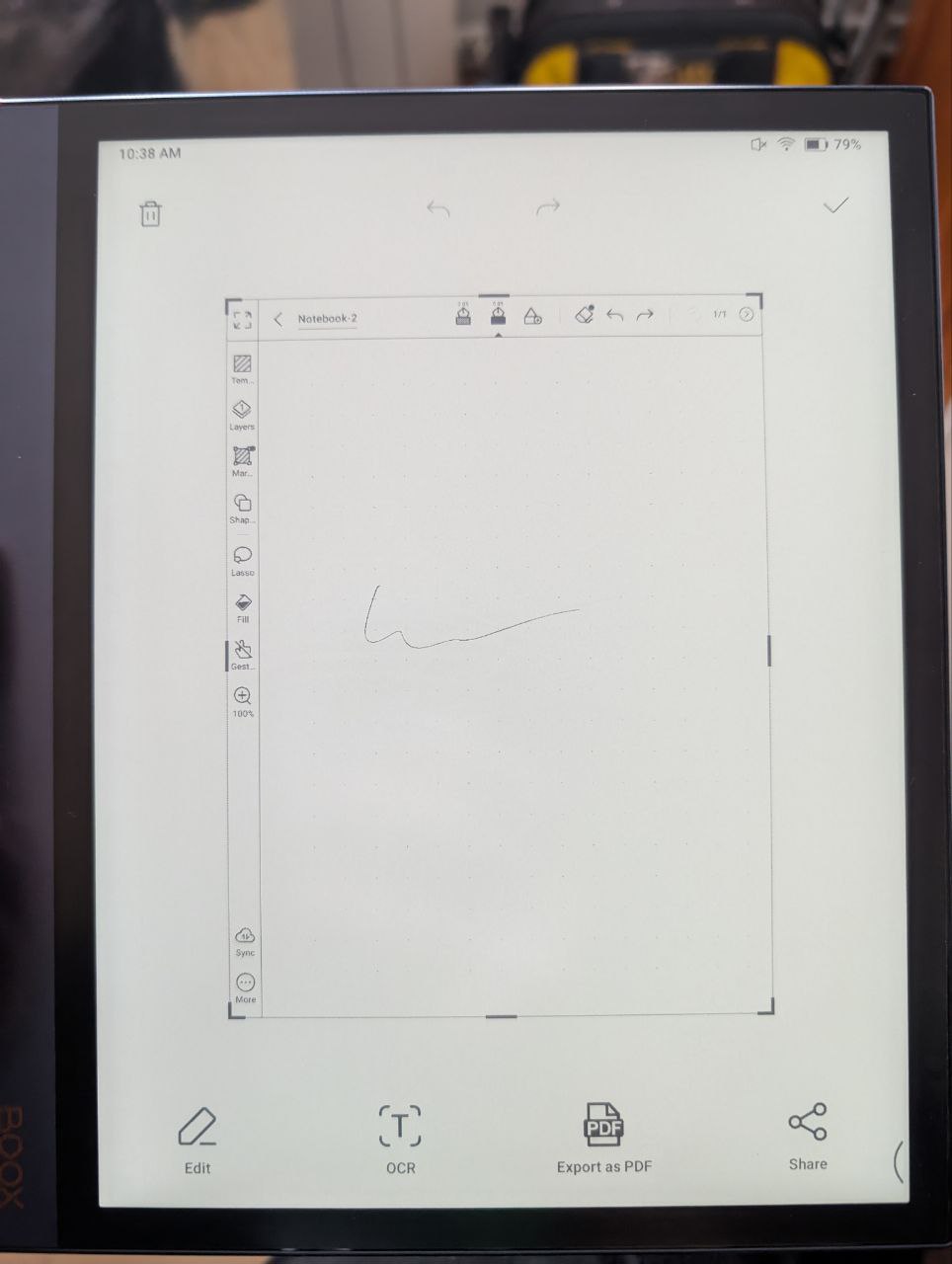
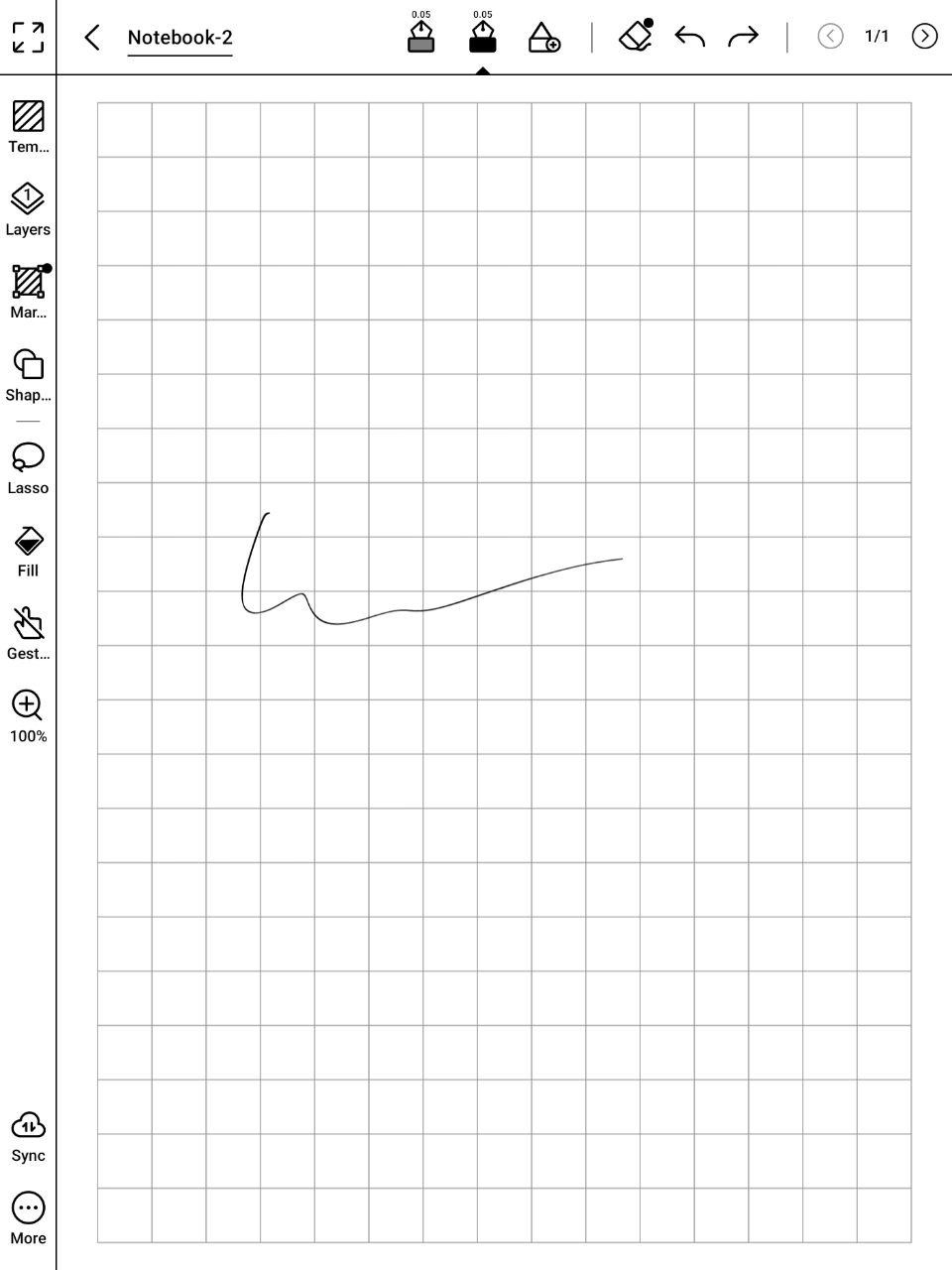
However, when I took a screenshot to document the issue, something odd happened: the saved screenshot (viewed on another device) shows the lines clearly, exactly as they used to appear on my Note Air 2’s screen. This suggests the problem might be related to template rendering or display resolution on the device itself.
To illustrate, I’ve attached three images:
-
A photo of my screen showing the washed-out grid lines during normal note-taking.
-
A photo of the screen during screenshot capture (still washed out).
-
The actual screenshot file (viewed externally), where the grid lines are crisp and clear—just as they should look on the device.
This third image matches how templates used to appear before the firmware update. Has anyone else experienced this? I’d appreciate any advice on how to restore the original clarity.
The device is updated to the last stable firmware 2025-04-01_18-03_v4.0-rel_6d15a71551, but this has been happening for several versions already. I was hopping it would go away on its own at some update, but it's been months and it's still there.
Thanks in advance!
-
正式評論

Dear customer,
We apologize for the inconvenience. In this case, this case, please open the Notes app > swipe down from the top right of the screen to bring up the Control Center > E Ink Center > click the "Reset" button next to the "Dark Color Enhancement", or you can increase the value of the "Dark Color Enhancement". After that, please check if it is possible to fix the problem. -
Hi Booxshop Service,
I have tried your suggestion but, unfortunately, it didn't fix the issue. I had also tried pushing Dark Color Enhancement to the maximum and that made no difference.
Kind Regards,
Fran0 -
Dear customer,
In this case, we are wondering which refresh mode is on your Notes app. You can open the Notes app > bring up Control Center > E Ink Center > and set the refresh mode to Normal mode. If you are using the Speed mode or A2 mode, please try to enable "High Contrast" from the E Ink Center. After that, please check if it is possible to fix the problem.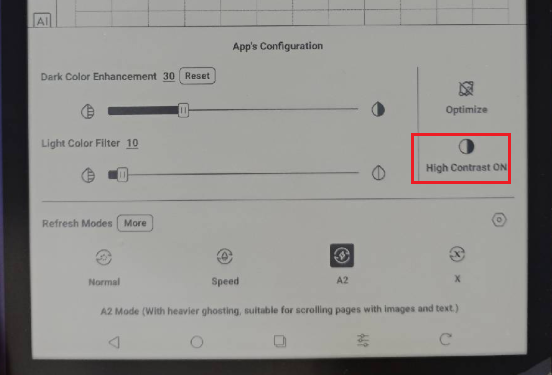 0
0 -
Hi Booxshop Service,
That fixed it, million thanks! 非常感谢
Kind Regards,
Fran0
請登入寫評論。
評論
4 條評論