Import .note files from Send2Boox desktop app

Hi,
I am finding it difficult to create multiple (bulk) note on by Boox Tab-Ultra-C-Pro,
so I tried creating them on my computer and tried importing to my Tab using Send2Boox desktop app, the file was imported to Send2Boox but is not appearing on my Boox Tab-Ultra-C-Pro, I tried manual syncing but no luck.
How to import or create notes (in bulk) using Send2Boox desktop app (or web-app)
Thanks.
-
正式評論

Dear customer,
We are afraid that it is unable to create notes on the BOOX device in bulk. The notes can only be created one by one.Regarding the notes you created on your computer, we are wondering if the format of the notes is PDF. If so, you can use a USB-C cable to transfer the PDF notes to your BOOX device in bulk.
If you upload the PDF notes to BOOXDrop via the Send2boox desktop app, you can follow the steps below to download the PDF notes on your BOOX device.
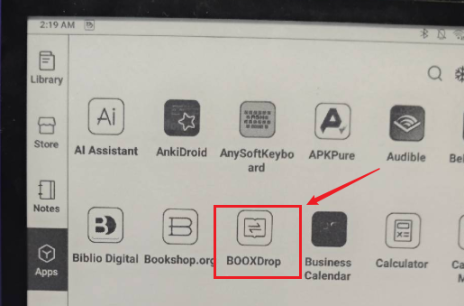
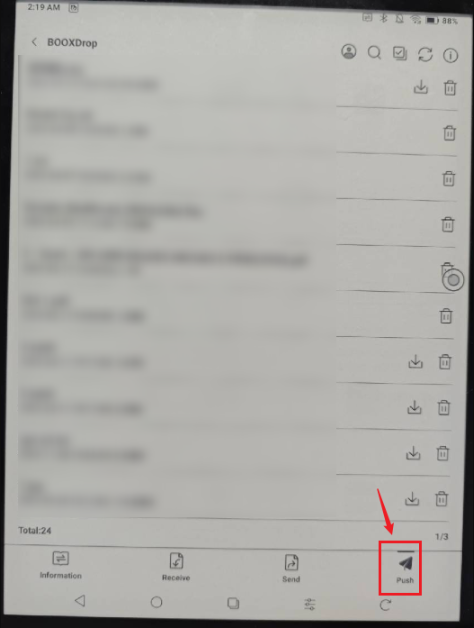
Many thanks for your time and understanding.
請登入寫評論。
評論
1 條評論