Go Color Gen II Kobo App Page Turn not working after latest FW update

I have never been able to get the Kobo app to use the Go buttons to turn pages. It is very frustrating because that is why I bought the Go g2 to have physical page turn buttons. All it does is turn the sound up/down. This is an e-ink device and I sincerely doubt that the main use case is for listening to music.
I am on the latest firmware (2025-06-12-33_4.0.3-rel_0612_68c009db9). I did a full factory reset and reinstalled the Kobo app from the Google Store.
All Smart Button settings in Boox are set to Page Turn (both short press and long press)
When I use the Kobo App, the buttons still attempt to raise and lower the volume on a READING app instead of turning pages.
How do I turn pages using the buttons?
0
-
正式評論

Dear customer,
We apologize for the inconvenience.
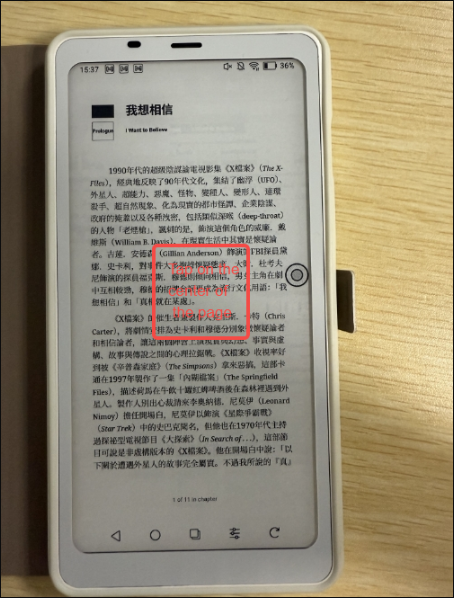
It is possible to use the side buttons to turn pages in the Kobo app. In this case, you can open a book on the Kobo app and tap on the center of the page.
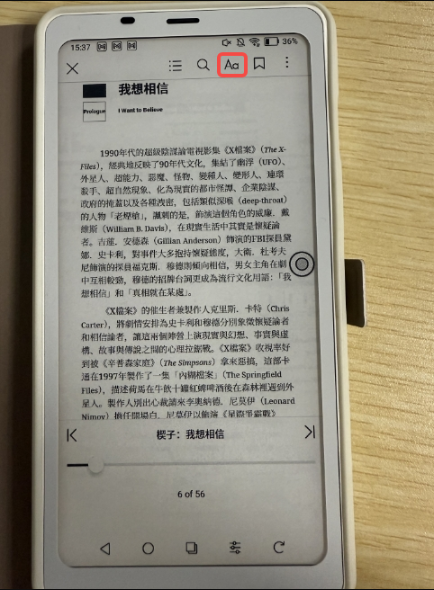
Click the "Aa" button.
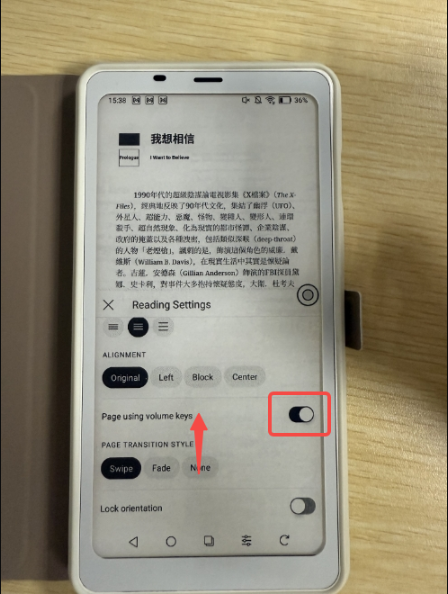
Swipe up on the settings page and find the "Page using volume keys" option and turn it on.
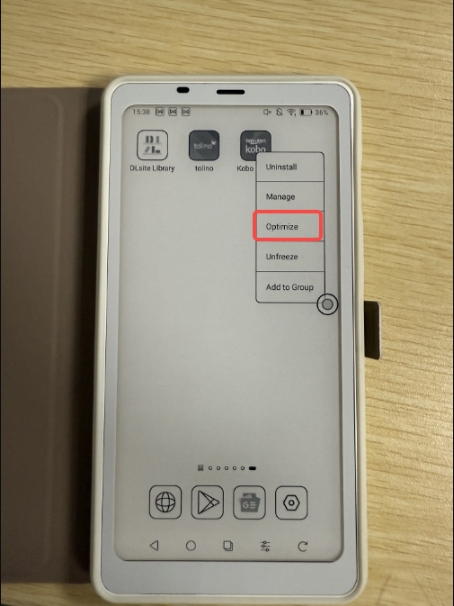
Then, long-press the Kobo app to bring up the options, then tap "Optimize". Then, in "Others", under "Custom Side Buttons", select "Volume".
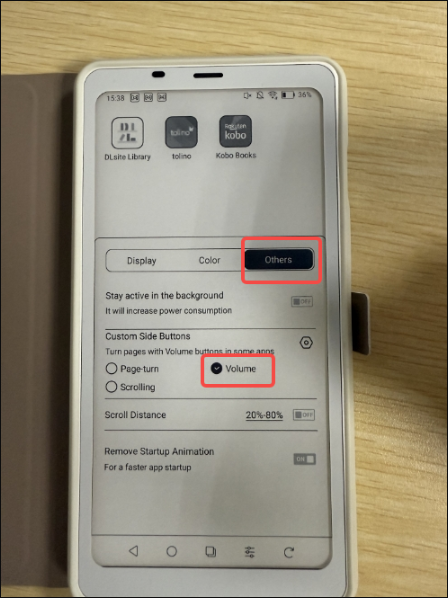
Or you can go to Settings > Smart Buttons Settings > Short-press Function > find Kobo app > select "Volume". After that, please check if it is possible to fix the problem.
-
This works. Thank you
0
請登入寫評論。
評論
2 條評論