Storing text notes on the Note Air 4C

I am a new user. I can create folders to store handwritten notes, but not for text notes. Text notes are not saved on any folder I create. Why not? Thank you!
-
正式評論

Dear customer,
Upon checking, it is possible to create a folder in the Notes app and save both the handwritten and text notebooks to the folder. In this case, you can go to the Notes app > click the hamburger icon on the top right corner > New Folder. After you create a folder in the Notes app, you can long-press the cover of the text notebook > Move > select the folder. Then, please check if it is possible to save the text notebook to the folder. -
Text files created do not show up in any folders I setup, new or existing. The only place text files show up is 'recent files'. Yes, I can move handwritten note files from folder to folder, and they show up. Not text files. Looking at the folder stats these text files are counted, but they appear hidden when viewing all files in a folder.
0 -
Dear customer,
We apologize for the inconvenience. In this case, you could try to open the Notes app > Click the hamburger icon on the top right corner > Filter and Sort > Filter > and select "All Notebooks". After that, please check if it is possible to see the text notebooks.0 -
That's it! Apparently, the default setting restricted showing all handwritten and text files. I changed the filter to 'All Notebooks' and all files are now visible. Thanks so much for your help! Case closed!
0 -
Dear customer,
We are glad that the problem is solved. If you have any questions, please feel free to contact us anytime. We hope you have a wonderful day!0 -

Hi, i have the same proble. I can't see the list notes i wrote and saved. The notes app opens but can't click the hamburger icon.
0 -
Hi Laurent,
We apologize for the inconvenience. In this case, we would like to know which model and firmware version your device is.
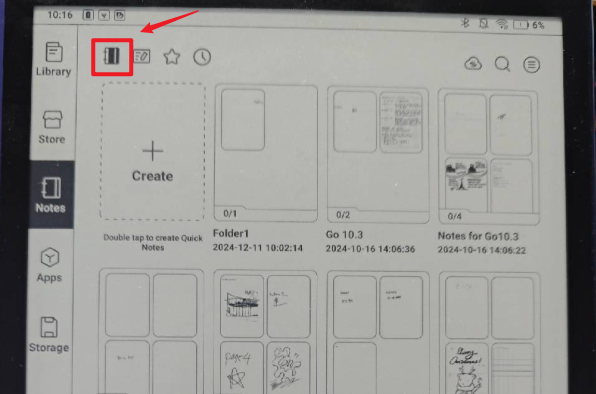
You could try to go to Notes and click the icon in the picture below to switch to the general note section. After that, please check if it is possible to click the hamburger icon in the top right corner.
 0
0 -
I can't open the Notes app.
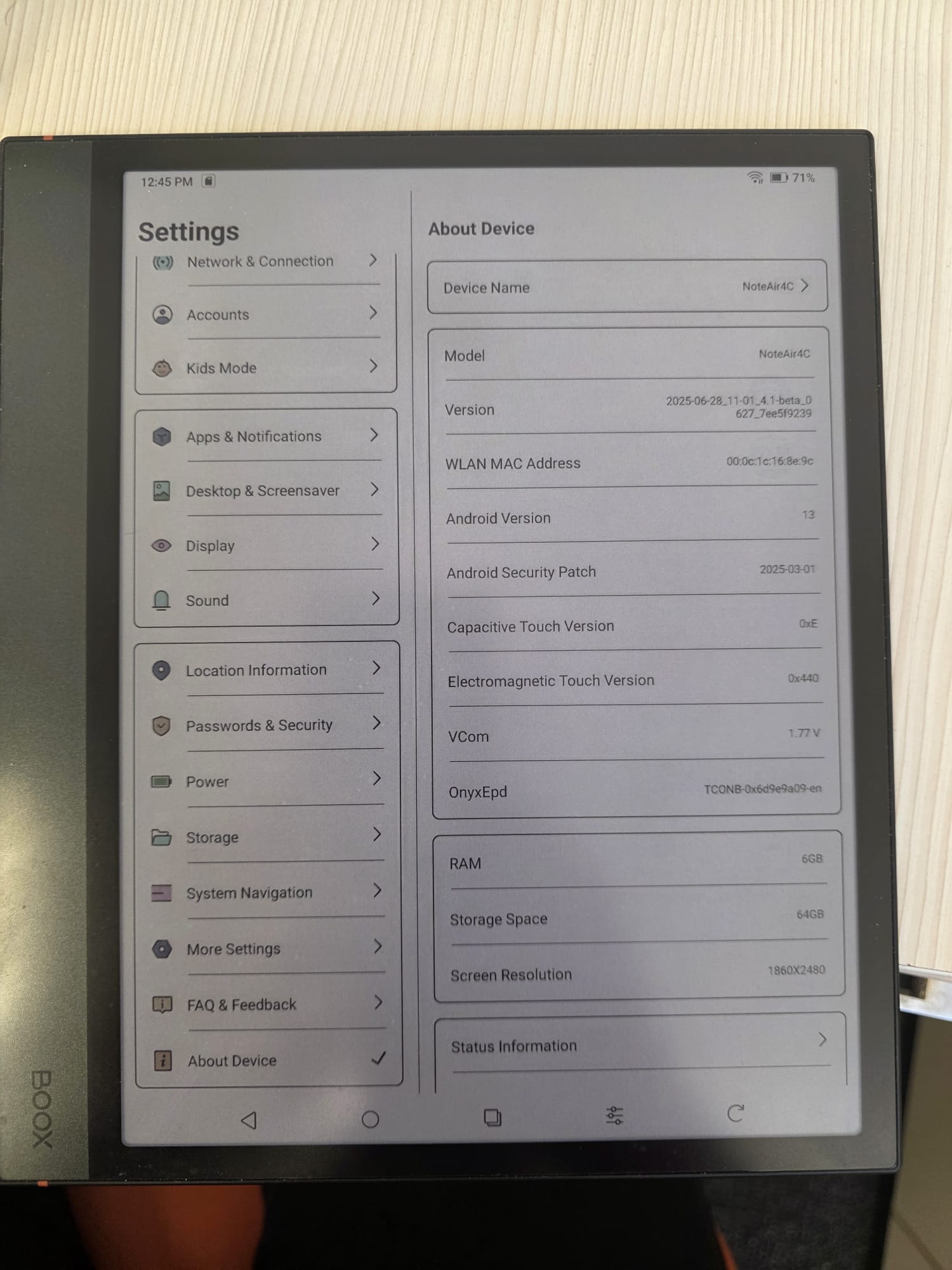
this is the model and the version
thank you for your help
 0
0 -
Hi Laurent,
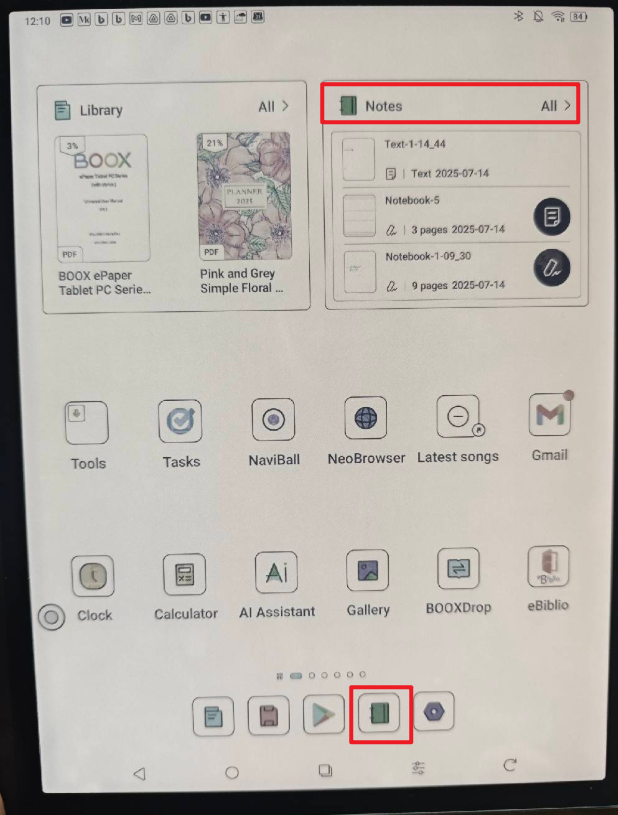
We apologize for the inconvenience. In this case, you can find and open the Notes app from the Home Screen of your device.
Many thanks for your understanding.
0 -
It's the same problem. I try to open the notes app and it doesn't open. There's a white page and it comes back to the home screen. Can you give me the last version of the firmware
0 -
Dear customer,
We are sincerely sorry that the BOOX device does not support downgrading the firmware. In this case, we would appreciate it if you could reproduce this issue on your device. After that, please immediately submit feedback via "Settings" > "Feedback" > "+" on your device. Please make sure that you tick the option "send logs" and please describe the question in the feedback. Our technical team will get back to you as soon as possible after you submit the Feedback. Many thanks for your understanding.0 -
Hello
I can't send the log. There are confidentials data in my notes0 -
Dear customer,
The log does not include any data in your notes. The log will only record the error message and system operation. Therefore, the log does not include any sensitive information. Your log would be helpful for us to address the issue.Also, we are wondering if you have ever set up an Onyx account on your device to sync your notes to the Onyx cloud. Many thanks for your time and understanding.
0 -
Ok i understand. I sent the log . Thanks
0
請登入寫評論。
評論
14 條評論