[Note 3c] Highlighting color dims black ink when using marker pen making reading a bit harder

Problem
When using the the marker pen in an E-book (no matter what type), at first the color used is drawn behind the text making the contrast perfect, but after moving to another page and back again (making it redraw the page) the functionality that redraws the marker ink seems to be done lastly and by so, whatever text you have marked will be a bit dimmer as it will blend the text and highlighting color for no valuable reason whatsoever (this problem does not exist if drawing a highlighting pen over some scribbled text in notes).
Solution
The screen drawing function should first draw whatever is highlighted, then it should draw whatever text is in the book using masking to let the highlighting color visible where there is no text. If done correctly you will get highlighted text that is perfectly readable as the black (or whatever the original color the text has) will not have changed.
Frimware
2025-06-18_21-48_4.0.2-rel_0614_35a32af51
-
正式評論

Dear customer,
We are afraid that the NeoReader currently does not support adding handwriting highlight under the text. We have forwarded your suggestion to the relevant department and will do our best to improve our product in the future.
In this case, we suggest using the smart scribble feature to highlight the text.
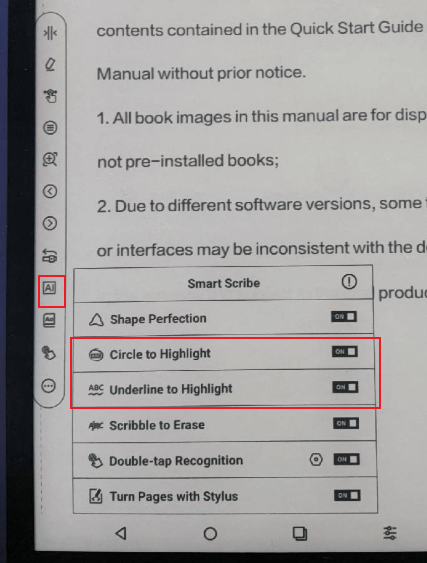
For your reference, please check the video at the link below:
https://drive.google.com/file/d/1KBcfeRMk7JFLXlLX8Eh9dLCfQpJav-ld/view?usp=drive_link
https://drive.google.com/file/d/1gieQJ_oQUF1b0D0vBA3FSa8uHKk7p7Xd/view?usp=drive_linkMany thanks for your understanding.
請登入寫評論。
評論
1 條評論