What is this symbol, like a squiggle in a comment shape

What is this shape? It pops up randomly and when I click on it, some comments I freehand wrote on the page pop up. It's extremely unhelpful. At first I thought they were just on the wrong part of the page because I had no idea what they were referring to. I'm an editor, so I'm frequently crossing out and replacing words and the areas where black bars appeared as though I had crossed out text there within the box made no sense on the page underneath. Like, they look like they've been extracted up to another layer which has been made opaque but that clearly isn't the case. Why can't they just stay on the page where I put them in the first place? This makes all the notes I just spent 60 hours on essentially useless. Then I realized they're not even on the right page. Not even close. One of the notes that got exiled to the squiggle box was my note marking that a chapter was Chapter 17, but the page it appeared on was in the middle of Chapter 11. What? What is this function, why does it exist, and can I please turn it off because it makes this tablet functionally unusable for me. 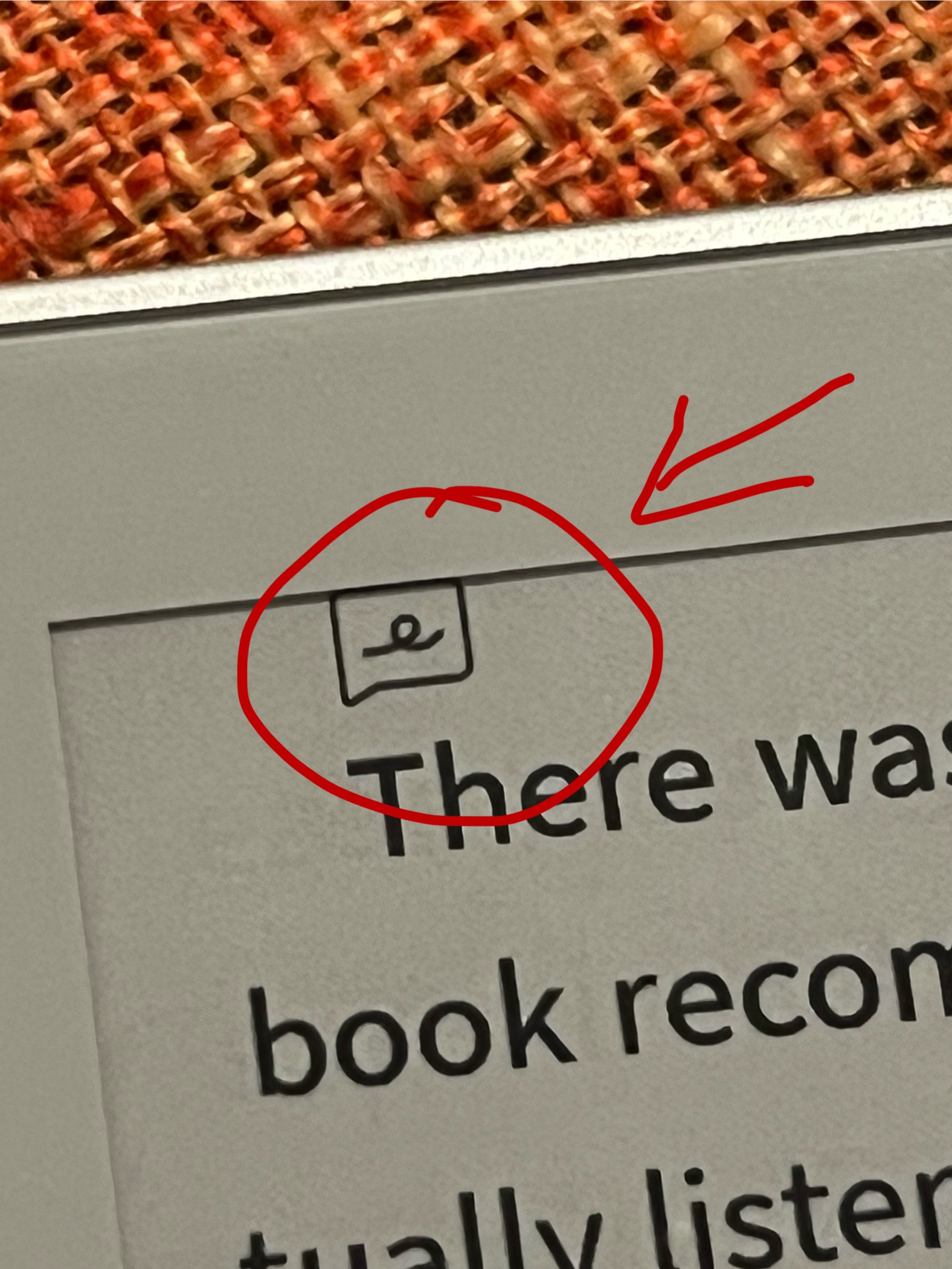
-
正式評論

Dear customer,
The "e" shaped icon is the handwritten notes. When the screen is rotated, the font size is changed, or the document is reflowed, it will change the coordinates of the handwritten notes. In order to keep the coordinates of handwritten notes, the notes were minimized. Therefore, it creates an icon on the page, and you can click that icon to expand the handwritten notes.You can remove this icon by changing the font size, rotating the screen, and deleting the handwriting notes.
請登入寫評論。
評論
1 條評論