Feature request: disable specific shapes in AI shape recognition

I often try to underline or highlight with a straight line but AI keeps on putting in a wavy line instead. Would love to be able to disable the wavy line and always get straight lines instead!
0
-
正式評論

Dear customer,
We are afraid that it is unable to disbale the wavy line. However, after you highlight the text, you can tap on the highlighted text to bring up the selection menu. Then, you can click the "Stright line" icon to change the wavy line to stright line.
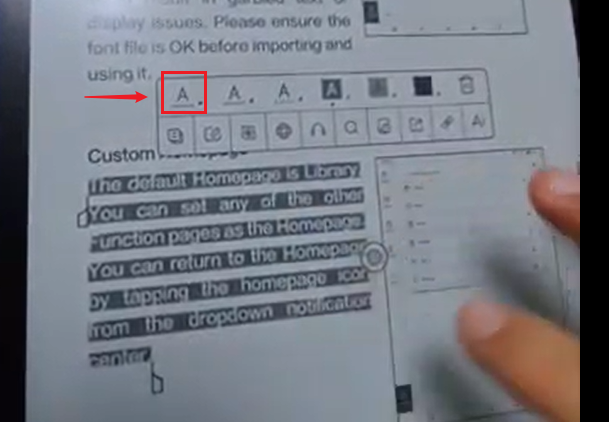
To bring up the selection menu, you can try to follow the steps in the video at th link below:
https://drive.google.com/file/d/18dQhVSqxZE7cyjo2yQ7OCVjIopzZkxlv/view?usp=drive_link
請登入寫評論。
評論
1 條評論