Can't ubdo touch in NeoReader

Hey guys,
I have a problem in NeoReader. I wnat to be able to only use the stylus, without my hand creating any movements on the screen. I have disabled every options in the the gestures bar in the toolbar, aswell as disabled the touch bar. Even though, I can put my finger or palm on the screen and drag the page, which is a problem when I want to write in the opposite site of the screen from my writing hand. I keep, unintensionally, dragging the page while trying to write a note on the PDF, which is frustrating. Has anybody found a solution? My device is a Note Max. Update: It only happens if I have cropped the page. In the original layout, the problem is gone. But then I have the problem of bad layouts on my PDFs.
-
正式評論

Dear customer,
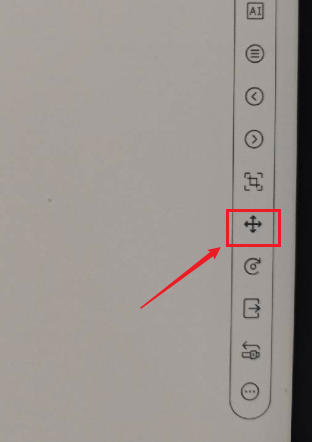
We apologize for the inconvenience. After you crop the page, you could try to click the "cross arrow" icon to lock the view. In this case, it should be able to prevent the view from moving while you are writing on the page.
請登入寫評論。
評論
1 條評論