Highlighting Hand written notes

-
Official comment

Dear customer,
In this case, you can use your finger or the stylus to long-press a word for a couple of seconds and start dragging to highlight the text.
Or you can use the smart scribe feature to quickly highlight the text. Below is the video to demonstrate how to enable/use the smart scribe feature
https://help.boox.com/attachments/token/8eWuPWKqGb1j3d9ct5XzcUHvU/?name=61553+video.mp4
Thank you for your time and hope it helps
Sincerely,
Derek -

I don't think this response answers the question. The title specifically asks about highlighting _hand written_ notes, not typed notes.
Is there a way to highlight handwritten notes within the notes app in handwriting mode? I imagine this would be best done by a highlighter pen option, but there doesn't seem to be one.
0 -

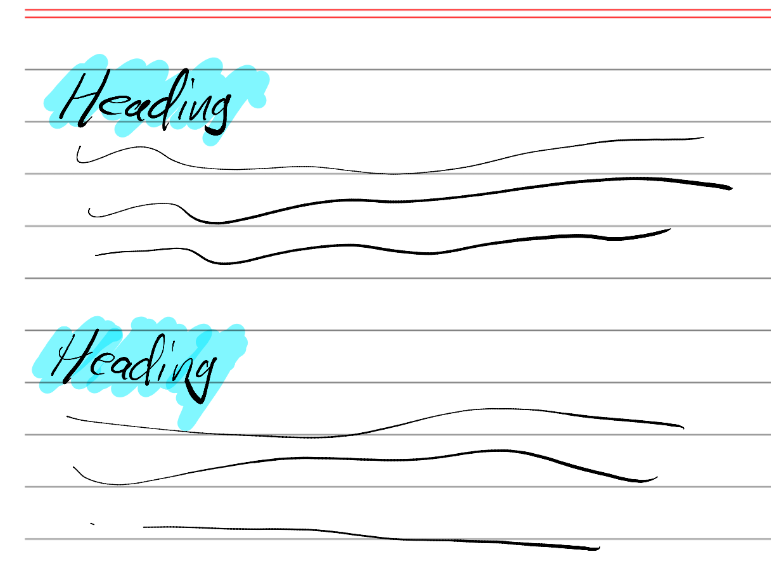
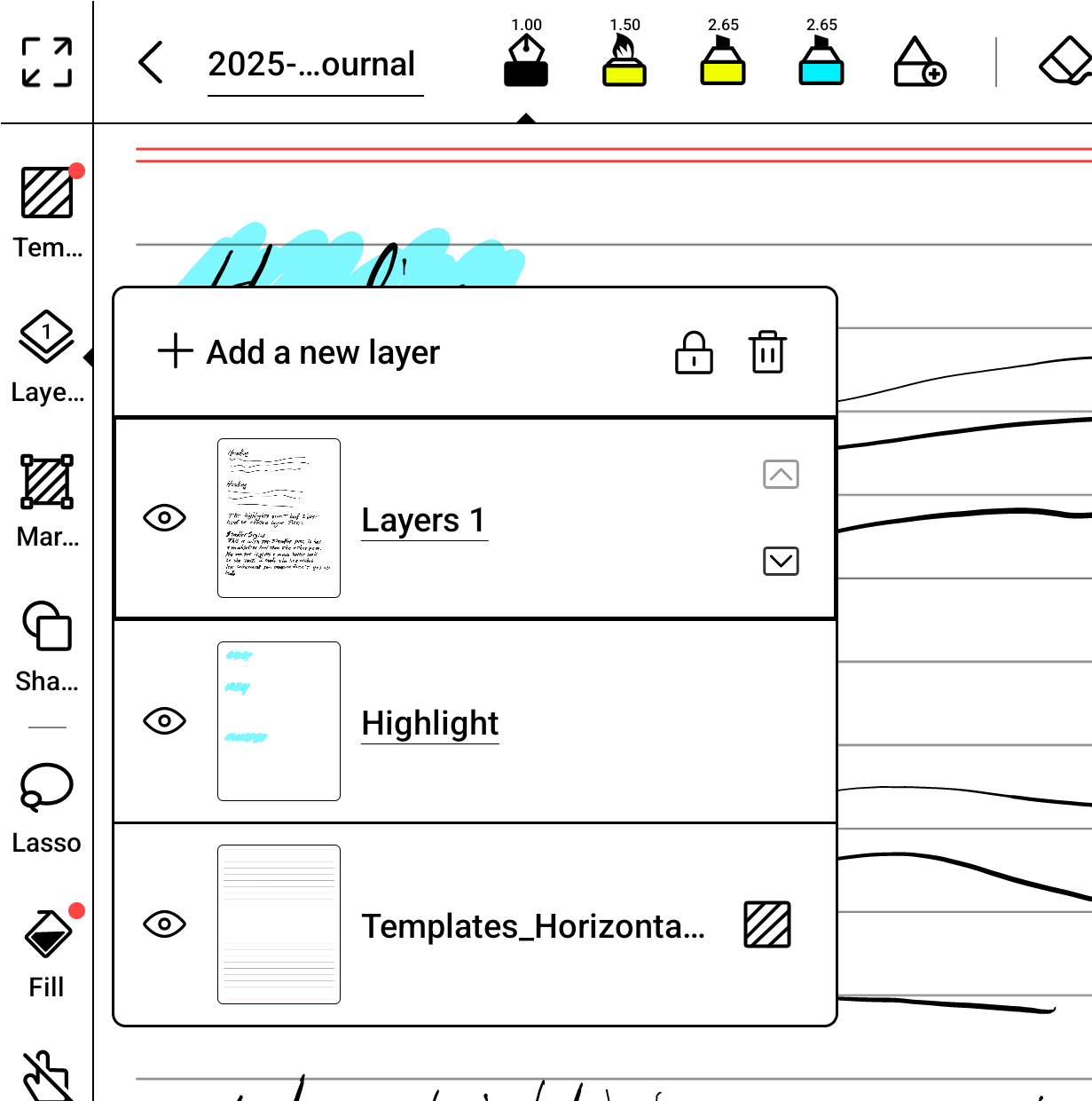
What I have done to simulate the effect in their videos is to create a layer and name it "Highlights". Then move the layer so it is between the handwritten text and the template.
To make a highlight I select the "Highlight" layer and use the marker. This puts the marker ink below the text, and renders a nice result.
It is however a pain to manage the layers, and you have to create the layer for each and every page where you want to make highlights. It is a real pain.
I much preferred the way highlighting worked on my reMarkable 2.
Books, you show highlighting in your promo videos, as if it is a feature. But it is not a feature, and it requires a significant amount of effort to simulate. I would very much like to see you add a native highlight feature.Hopefully someone from Boox is watching these forums.
 0
0
Please sign in to leave a comment.
Comments
3 comments