Highlight handwritten notes

-

What do you mean highlight? I have the lasso detect gesture turned on so just circle it with the stylus - I think that's what you mean.
0 -
I'm trying to find the option to highlight handwritten notes as you would use a yellow/green highlighter when when highlighting on paper.
0 -
I set the pen type "Marker" to a thick line width and a different colour, and set two of the pens to different colours (red and green) for quick access.
It puts a layer (over top) of the thing that you mark which slightly dims the original text or graphics below it .. but the effect is pretty good, probably about the same as an actual hi-liter. I think I heard that another tablet puts a hilight "around" the thing that you hi-lite so that the original item doesn't get dimmed, which does seem like a good idea to me. But it works pretty good as-is.
0 -
That marker option works great. Thank you 👍
0 -
No it doesn't! For some reason the marker operates as a hi-liter when you draw but after you refresh the screen it isn't at all transparent. This is really terrible ... need to go find out where the feature request for a true hi-lite is and vote for it!
0 -

I agree with RL. The hi-liter needs to allow the text to clearly visible and not dimmed. Ideally the user should be able to adkust the level of intensity of transparency.
0 -

Right, the lack of a proper highlighter in the boox notes app is a killer. There should be a highlighter option that properly highlights text where handwritten marks with pencil & pens shows up above the highlighted pixels.
0 -
We need to have a single point for everyone to raise the flag on this.
Software seems like a better place than the Note Series section since this is across all devices.
I've nominated this one:
https://help.boox.com/hc/en-us/community/posts/22757248816916-Notes-app-highlighting-hand-written-notes-can-t-see-writing-underneath?page=1#community_comment_27382246033812Please go to it and upvote the topic to get this some attention.
0 -
Anyone have an update on this? Is it working properly on the 4.0 firmware on the 4c?
0 -

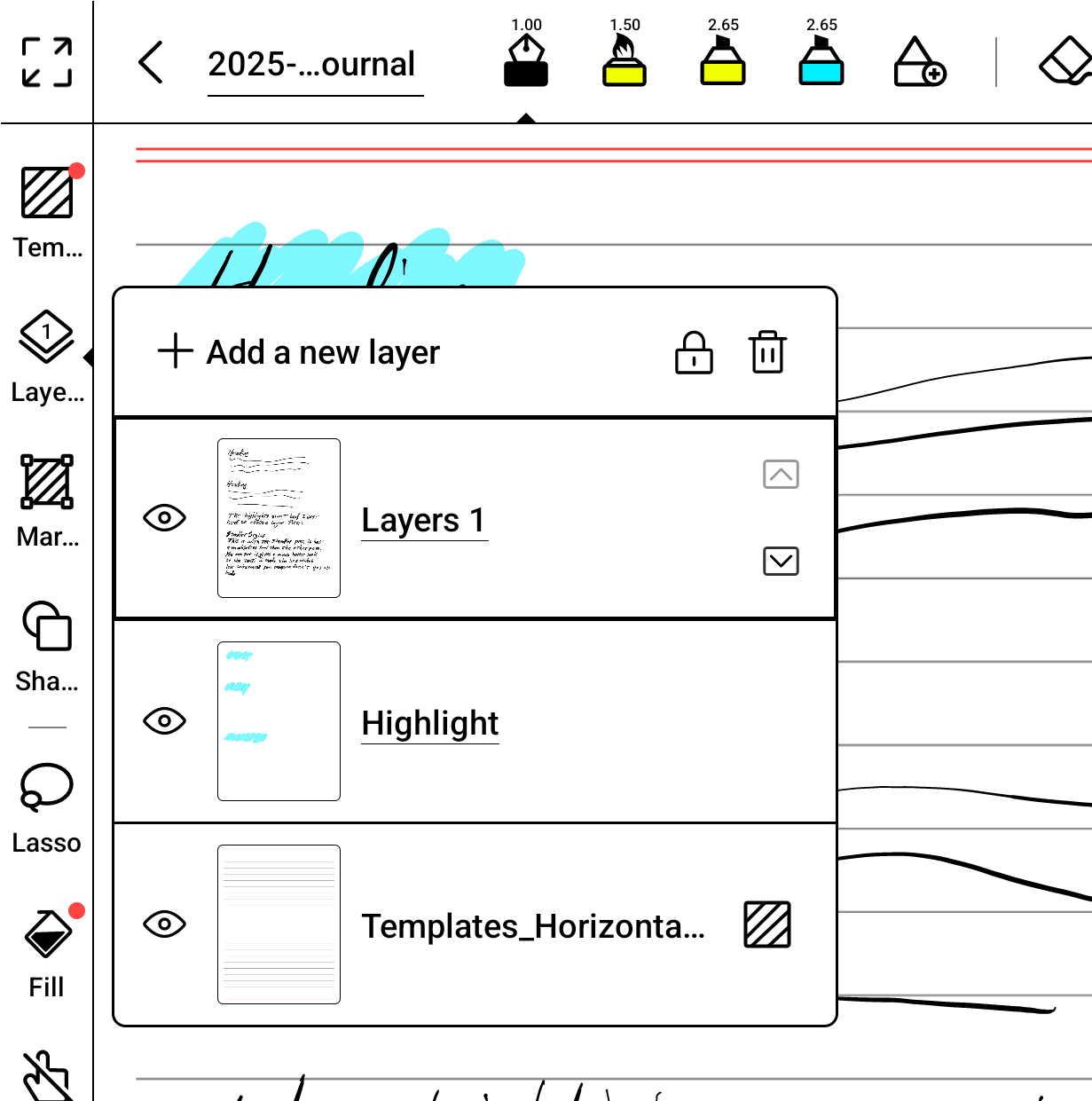
What I have done to simulate the effect in their videos is to create a layer and name it "Highlights". Then move the layer so it is between the handwritten text and the template.
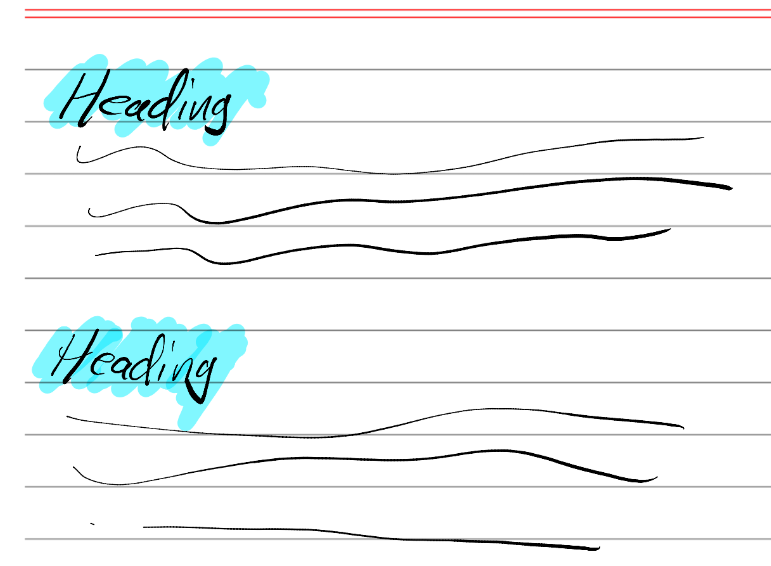
To make a highlight I select the "Highlight" layer and use the marker. This puts the marker ink below the text, and renders a nice result.
It is however a pain to manage the layers, and you have to create the layer for each and every page where you want to make highlights. It is a real pain.
I much preferred the way highlighting worked on my reMarkable 2.
Books, you show highlighting in your promo videos, as if it is a feature. But it is not a feature, and it requires a significant amount of effort to simulate. I would very much like to see you add a native highlight feature.Hopefully someone from Boox is watching these forums.
I included an image showing how I setup the layers and how the highlights look in an exported PDF.
 0
0
Please sign in to leave a comment.
Comments
10 comments