Marker behin other text in notes

When I'm taking notes myself using the build-in app, I sometimes want to highlight certain words. However the marker always is painted over the text being marked. It would neat If markings by default would be drawn behind the text itself. Thx
-

Lack of a highlighter is a very popular complaint / feature request -- I personally was shocked to find out that it didn't work that way when I got my tablet.
You should look around for those posts and upvote them (the up down arrows with the number in the middle, says zero on this one) to get maximum attention.0 -

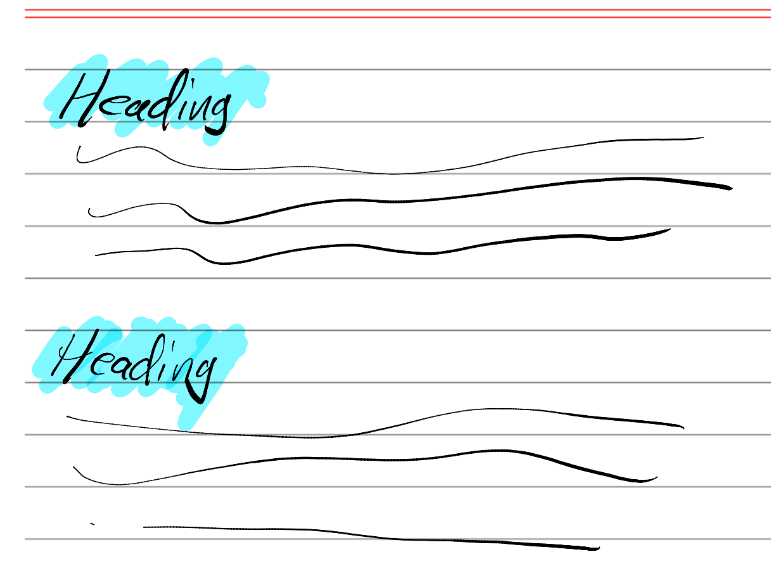
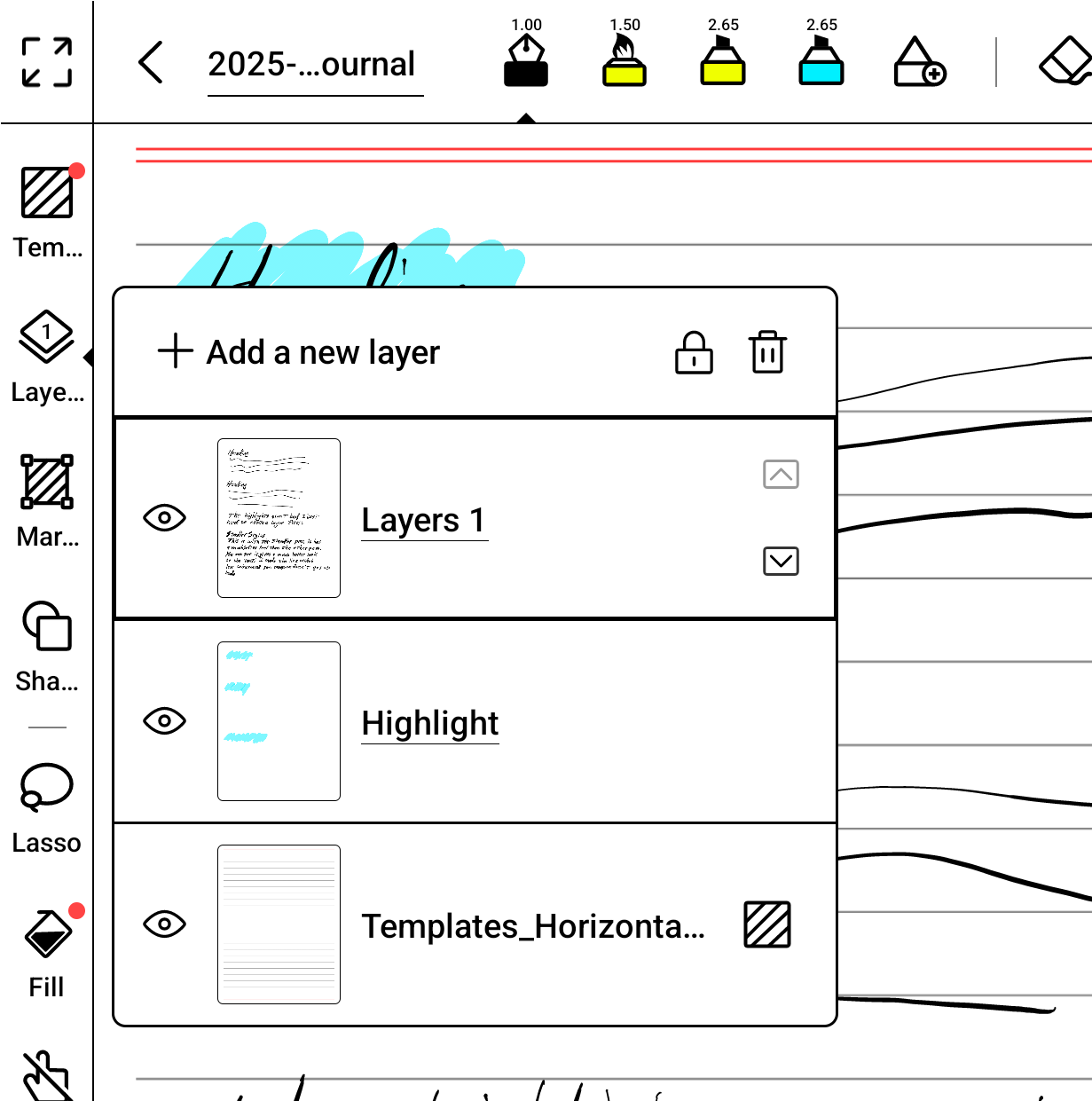
What I have done to simulate the effect in their videos is to create a layer and name it "Highlights". Then move the layer so it is between the handwritten text and the template.
To make a highlight I select the "Highlight" layer and use the marker. This puts the marker ink below the text, and renders a nice result.
It is however a pain to manage the layers, and you have to create the layer for each and every page where you want to make highlights. It is a real pain.
I much preferred the way highlighting worked on my reMarkable 2.
Books, you show highlighting in your promo videos, as if it is a feature. But it is not a feature, and it requires a significant amount of effort to simulate. I would very much like to see you add a native highlight feature.Hopefully someone from Boox is watching these forums.
 0
0
Please sign in to leave a comment.
Comments
2 comments