Looking to see books and highlights on my computer

I am reading a book that I'm using for research purposes, and I'm realizing that trying to comb through the highlights I've made is going to be kind of difficult. I know you can sink books via third-party apps, but is there a way I can just pull up the book I'm reading online somewhere and see the highlights?
-
Official comment

Dear customer,
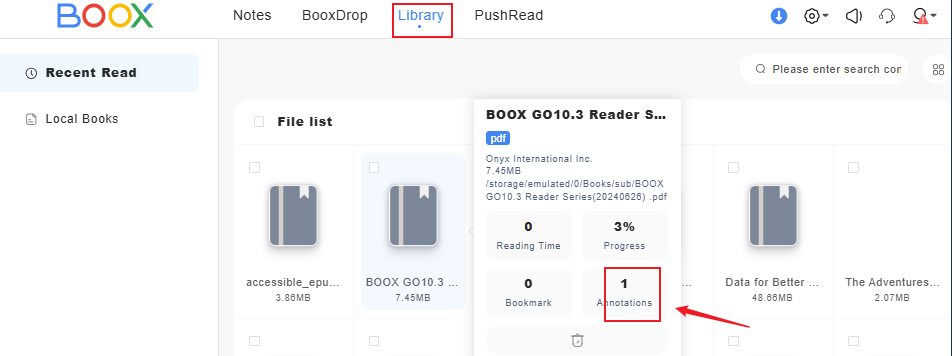
We apologize for the inconvenience. In this case, you can set up and log in to your Onyx account on your BOOX device. After that, please go to Library > Click the hamburger icon on the top right corner > Library Settings > enable "Sync all Reading Data to ONYX Account". Then, open the book that you read and close it. It will sync the reading data such as annotations, highlights, reading progress, and bookmarks to the Onyx cloud. Then, you can check the highlights on the other device by logging in to your account on the send2boox website (push.boox.com = US server / eur.boox.com = EUR server). After you log in, you can check the highlights or other reading data from the website.
-
Oh, I see, so if I draw a highlight with the pen, it does not show up in annotations, but if i add a highlight from the program itself it does show up, is that correct? Thank you!
0 -
Hi Joshua,
You are correct. If you use a pen to highlight the text, it will be considered as a handwritten note and it will not show on the send2boox website. If you use your finger to highlight the text, it will sync the highlighted text to the send2boox website.
0
Please sign in to leave a comment.
Comments
3 comments