Cant access notes

-
Official comment

Dear customer,
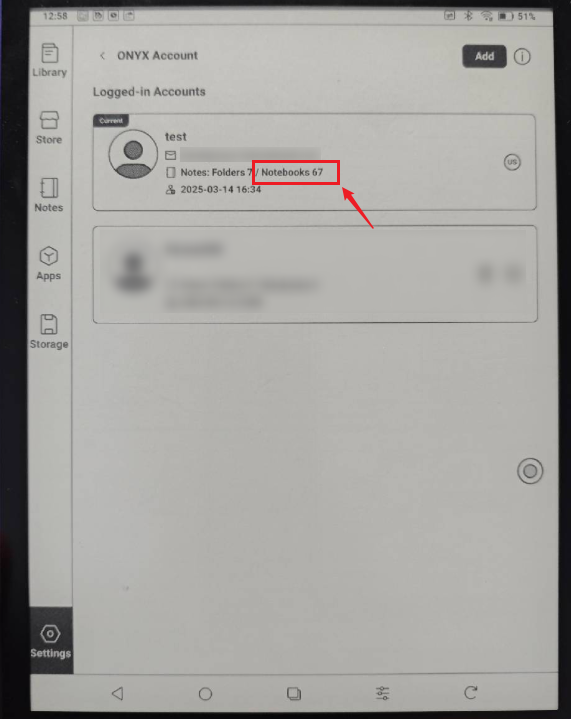
We apologize for the inconvenience. In this case, please go to Settings > Onyx Account > Switch Account. Then, please check if you can see your old account with notes. If so, please log in to your original Onyx account and check if it is possible to see your notes.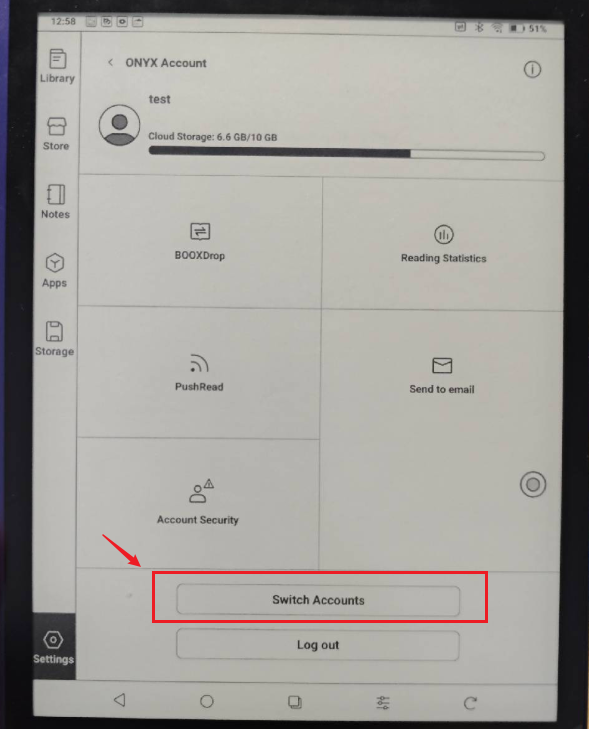
-
I can see the account, but I cant login into it, because when I tried, it created a new account and now always sign into the new one. It says: “the first login will automatically register an ONYX Account for you.” - so it does, I just don’t know how to access it, before this promt to login I have never sing into accounts, it was just PIN white starting the device and thats it, I had an google play account connected, but I dont remember having these, so this “new feature” of new account made this. Is it possible to talk live to support?
0 -
Dear customer,
Thank you for your reply and we apologize for the inconvenience.
In this case, we would appreciate it if you could take a video to record the problem with logging into an existing account, but end up creating a new account. After that, please send us the video by submitting a request via the link below:
https://help.boox.com/hc/en-us/requests/new
Then, please also submit feedback via "Settings" > "Feedback" > "+" on your device. Please make sure that you tick the option "send logs" and please describe the question in the feedback. Our tech team will check and get back to you as soon as possible. Many thanks for your effort and understanding.
0 -
Hello, it worked once, but this service is sometimes off and doesn't send verification codes (push.boox.com), really its not working at times. Because I connected to my account, thanks to you, but then I had to go and copy my notes from another account and then login back, so I coudn't do it.
Also a question, how I now can connect my email to account that is connected to my phone, because its either email or phone, email is more reliable...0 -
Dear customer,
We apologize for the inconvenience. Upon checking, your Onyx account is under the US server. If you are based in Europe, we would recommend using the EUR server.
Since your notes are on the US server, we would suggest logging in to your phone number account on the US server. Once you are able to see your notes, you can follow the steps below to back up your notes:
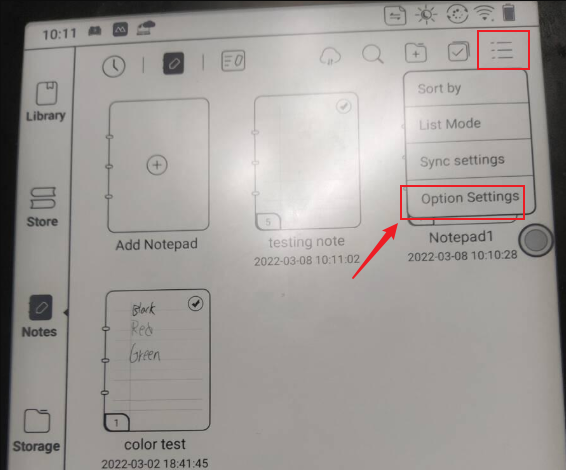
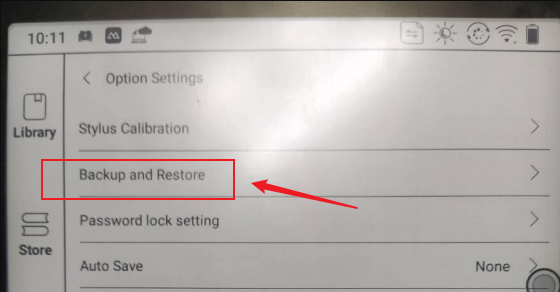
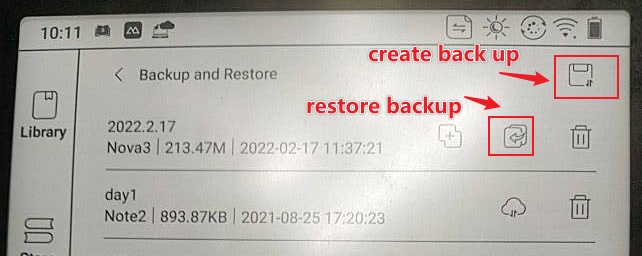
After you back up your note, you can log out of your US Onyx account. Then, please switch to the EUR server and set up an Onyx account using your phone number or email address. Then, you can restore the notes. Once you restore the notes, your notes will automatically be bound to your account under the EUR server. After that, please check if the problem with receiving the verification code can be fixed.
0 -
Yes, thanks, but I can’t login to push.boox.com because it doesn’t send code somehow for few days, I think its not working sometimes, because two days ago I did recieve and now it don’t. I sent request many many times with my phone number.
0 -
Hey guys, help, Its now working...
0 -
Hello…
0 -
Push.boox.com doesn’t send sms confirmation code…
0 -
Dear customer,
In this case, we suggest submitting feedback via "Settings" > "Feedback" > "+" on your device. Please make sure that you tick the option "send logs" and please describe the question in the feedback. Our technical team will get back to you as soon as possible after you submit the Feedback. Many thanks for your understanding.0
Please sign in to leave a comment.
Comments
10 comments