Tab X C Browse on Word

When using Tab X C on Word app and try to open through "browse", it doesn't show Google Drive.
-
Official comment

Dear customer,
We apologize for the inconvenience. In this case, please go to the home page of Tab X C > long-press the Google Drive app icon > please check if there is an "Unfreeze" button. If so, please press it to unfreeze the app. Then, please check if the problem can be fixed.
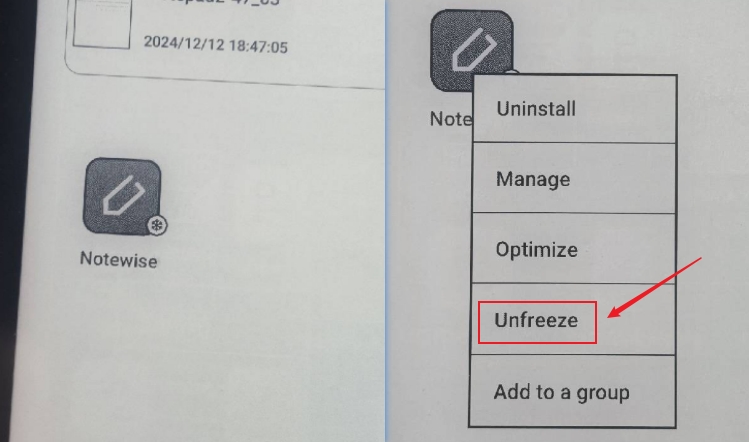
If the problem persists, we would appreciate it if you could reproduce this issue and take a video to record the problem. Then, please send us the video by submitting a request via the link below:
https://help.boox.com/hc/en-us/requests/new
Also, please submit feedback via Settings > FAQ & Feedback > +.
Our customer service team will check for the problem and reply to you as soon as they can. Many thanks for your effort and understanding.
Please sign in to leave a comment.
Comments
1 comment