NeoReader doesn't have notes/stylus option

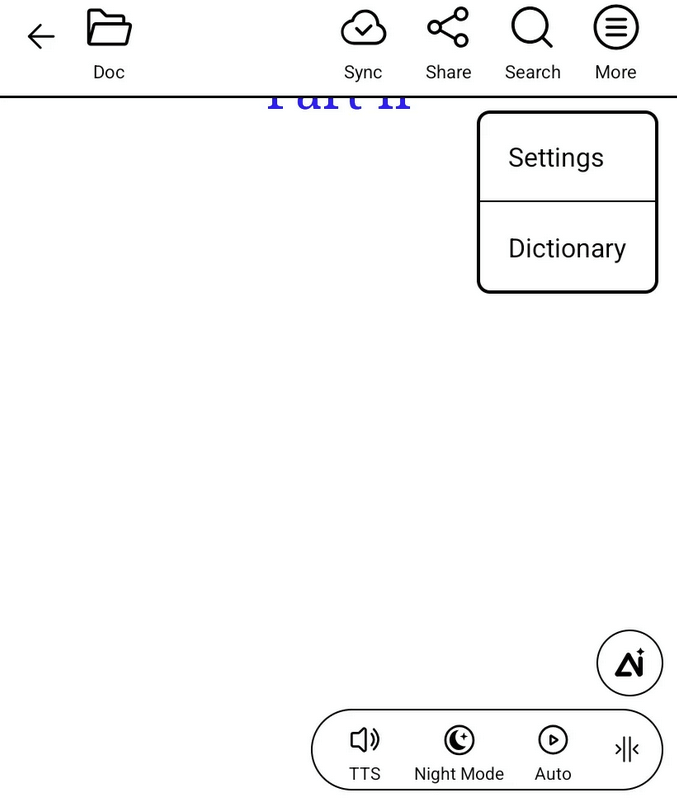
I recently bought the Boox Palma 2 Pro and I don't see an option to write notes in the NeoReader when I open a pdf. Here's what my top menu bar looks like:
I don't know why I can't see the notes/stylus option. I bought the inksense stylus that comes with the bundle and have paired it, which works well with the Notes app.
Would someone be able to help with this please?
-
Official comment

Dear customer,
We apologize for the inconvenience. In this case, please update the firmware to the latest version first. You could update the firmware via "Settings" > "More Settings" > "System Update" on your device.
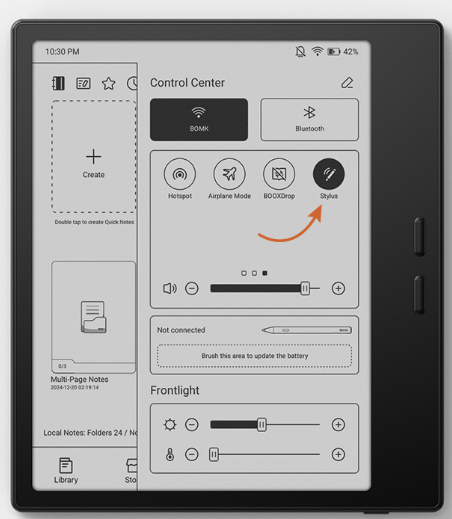
Then, please swipe down from the top right of the screen to bring up the Control Center, click the "Stylus" to enable to handwriting. If this is already enabled, please try to disable it and enable it again. After that, please check if the problem can be fixed.
-
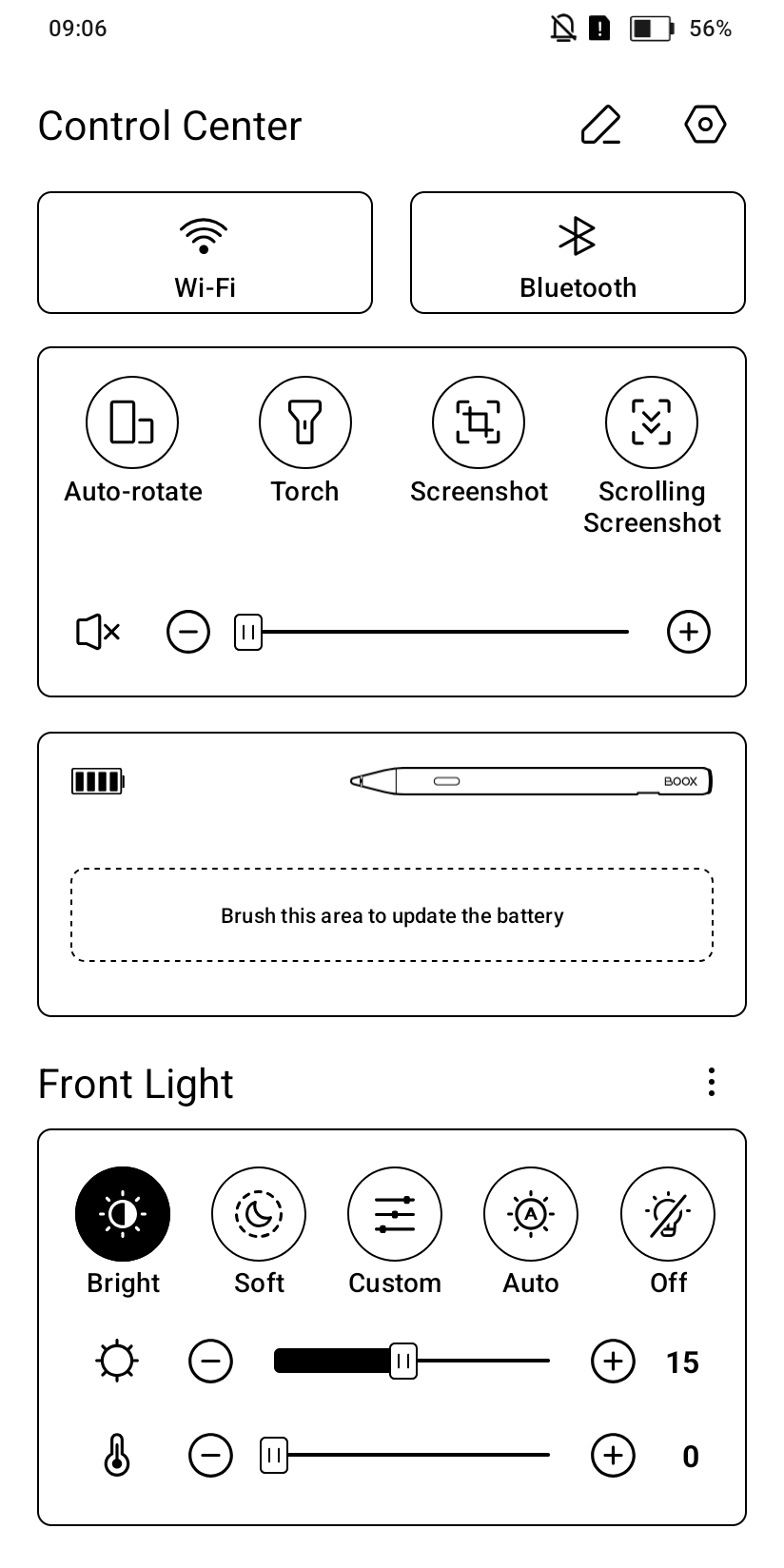
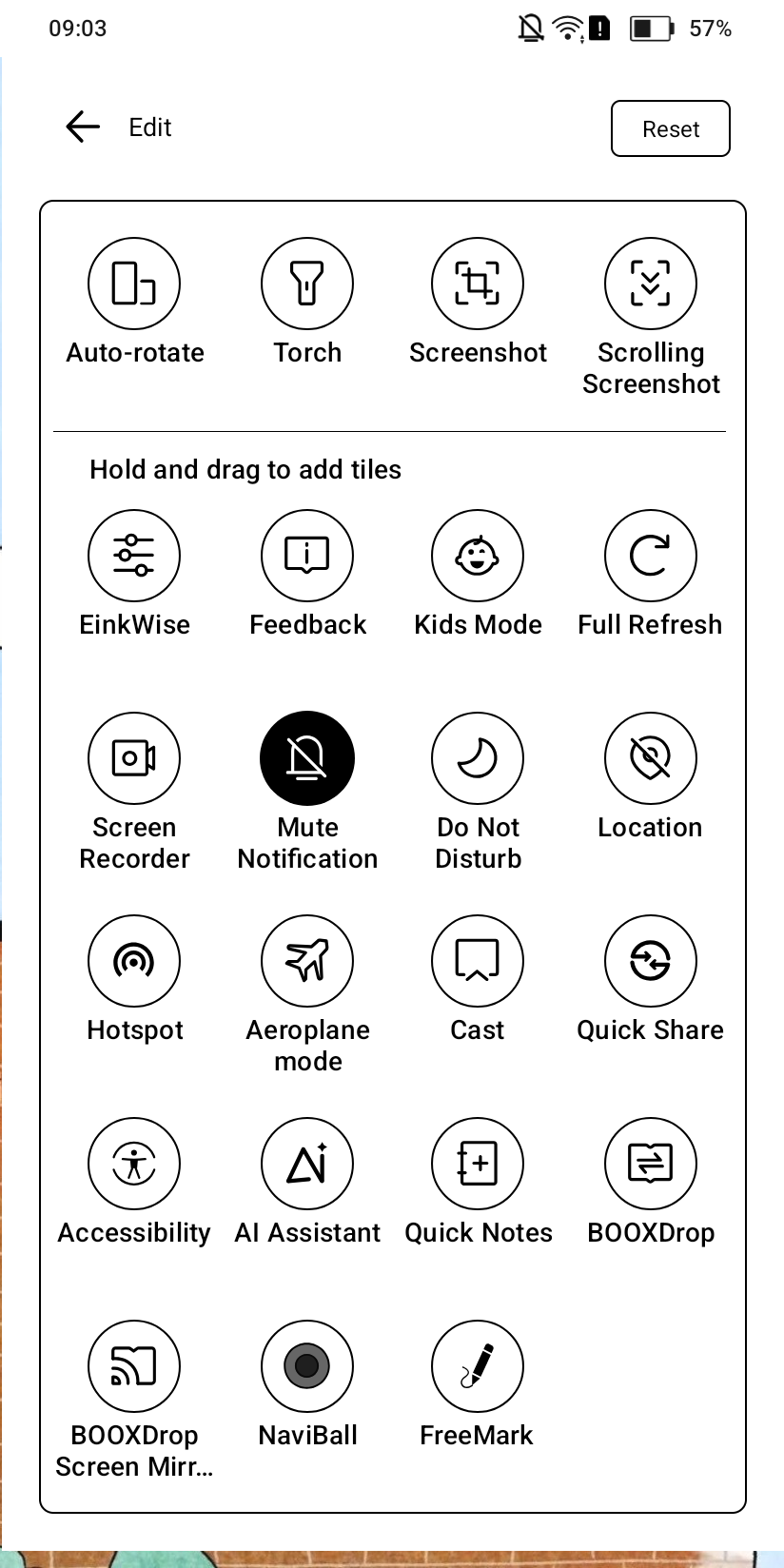
Hi! My device is already updated to the latest version. I did have 'stylus' in the control center, but once I connected the pen, this is what I have:
 0
0 -
Dear customer,
Thank you for you reply and we apologize for the inconvenience. In this case, we would appreciate it if you could reproduce this issue on your device. After that, please immediately submit feedback via "Settings" > "FAQ & Feedback" > "+" on your device. Please make sure that you tick the option "send logs". Our technical team will get back to you as soon as possible after you submit the Feedback. Many thanks for your understanding.0
Please sign in to leave a comment.
Comments
3 comments