I just want straight lines, not squiggly line AI detection

I like using the AI shape detection to underline and highlight my notes. But more than half the time it doesn’t do a straight line. It does a wavy line instead. I wish I could disable the wavy line and have it just do a straight line all the time instead.
0
-
Official comment

Dear customer,
We are afraid that it is unable to disbale the wavy line. However, after you highlight the text, you can tap on the highlighted text to bring up the selection menu. Then, you can click the "Stright line" icon to change the wavy line to stright line.
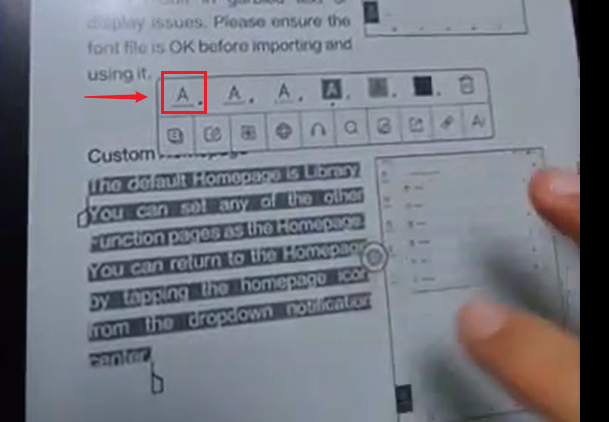
To bring up the selection menu, you can try to follow the steps in the video at th link below:
https://drive.google.com/file/d/18dQhVSqxZE7cyjo2yQ7OCVjIopzZkxlv/view?usp=drive_link
Please sign in to leave a comment.
Comments
1 comment