"When scrolling a page" refersh mode missing from Boox Go 7

Hello,
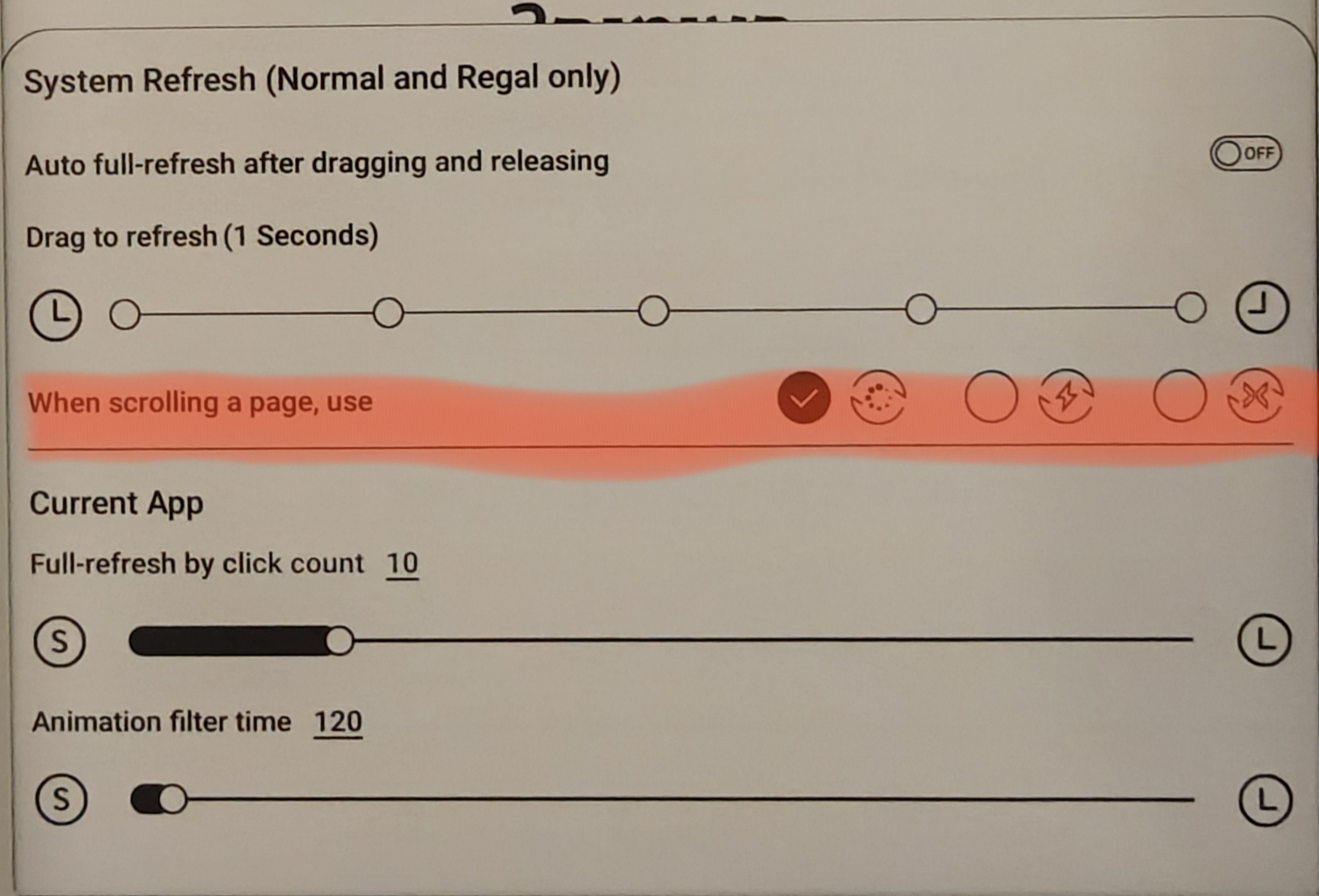
In my old Boox Leaf there was a setting called "When scrolling a page use..." and then I could choose which refersh mode applies when scrolling (see the screenshot attached). However, I cannot find this setting using the new Boox Go 7 monochrome with lastest firmware.
Appreciate any help. Thanks
-
Official comment

Dear customer,
We apologize for the inconvenience. We changed the refresh settings in firmware 4.1 and removed this option. In this case, you could open an app > bring up Control Center > EInkWise > set the refresh mode to "Speed". Then, you can click the gear icon next to the selected theme (Recommend, Fast Refresh, Customize) to get to more settings > enable "Full Refresh after Drag Page". After that, when you scroll the page, it will be in speed mode. After you finish scrolling, the page will be refreshed automatically. -
Thanks for the response. However, this is not what I want. I want to set the refersh mode when scrolling to normal while also the general refersh mode is normal. Right now it seems it is doing speed mode when scrolling even though general refersh mode is normal and I can't change that. Please advise. Thanks
0 -
Any update? Thanks
0 -
Dear customer,
We are sincerely sorry that we removed the option to choose the refresh mode when scrolling a page in firmware 4.1. When scrolling the page, it will be in speed mode by default. And it will refresh the screen automatically once finish scrolling the page.0 -
Any plan to re add it in upcoming firmware? I have many 3rd apps that need this setting and function worse than my old boox leaf (which has this setting).
0 -
Dear customer,
We are sincerely sorry for the inconvenience. In this case, we have forwarded your suggestion to the relevant department and will do our best to improve the software on our device in the future. Many thanks for your understanding.1 -
Ok thanks. Please try to prioritize this. Even kindle app which is extremely popular facing ghosting because of this when not using the page turn buttons.
0
Please sign in to leave a comment.
Comments
7 comments