pasting text into a note

I have a plain ASCII text file on my NoteAir in storage/Documents which I want to paste into a note. Can this be done ?
I can convert the ASCII text to a jpg image and insert that in a note but, of course, the text cannot be edited. I can open a text box and type from the keyboard and edit text.
Is there a way to copy text into a note or simply drop a text file into a text box ?
-

Dear customer,
1. If you are able to convert the ASCII text into a .txt or .word. Then you could use USB cable or onyx cloud to transfer the .txt document into your device.
2. After transfer, you could open the .txt or .word in your device. Then copy the texts
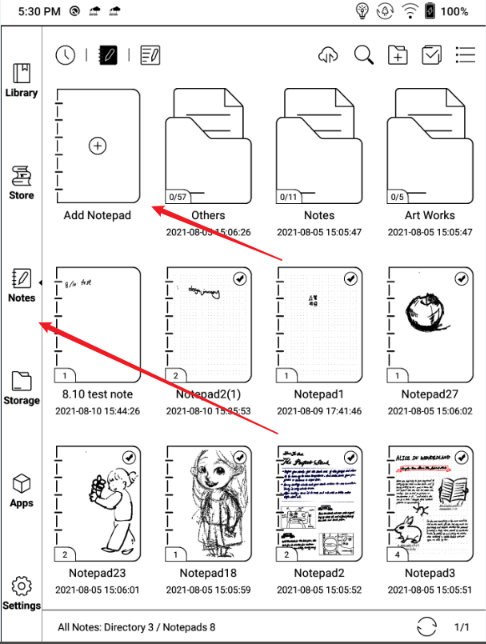
3. Create a notepad in your device and paste the content into your note.
steps on below:
a. create a .txt and edit in your PC
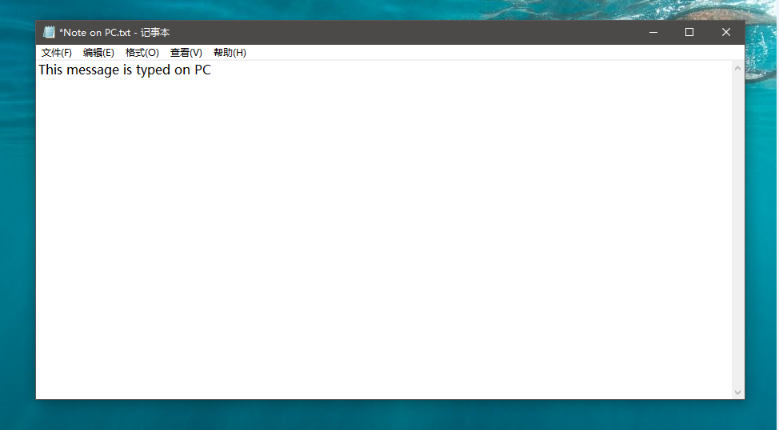
b. transfer the .txt to the device via USB cable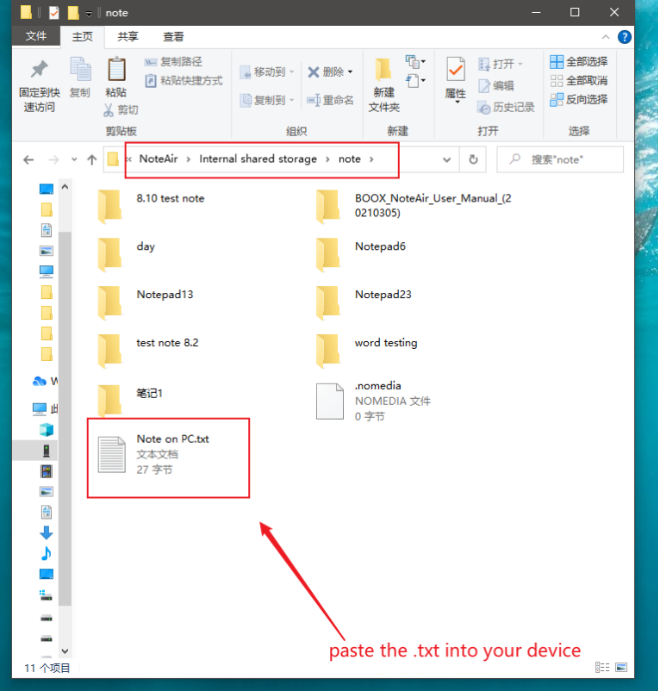
c. get into your device and go to storage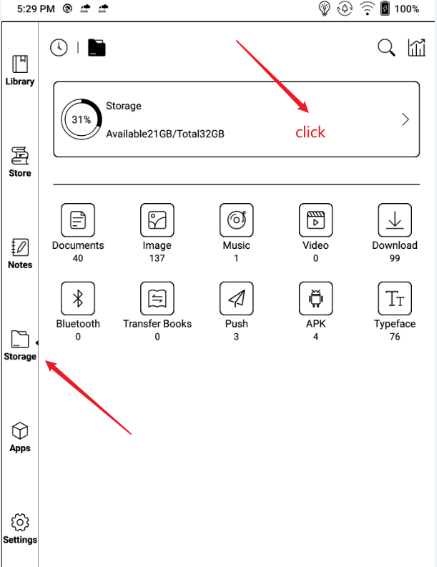
d. find the .txt
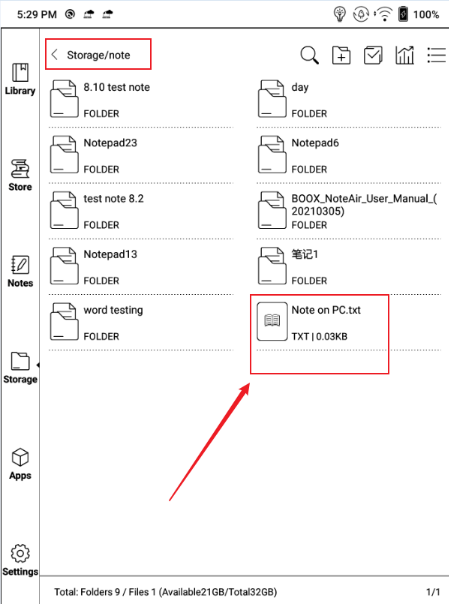
e. open the document and copy the content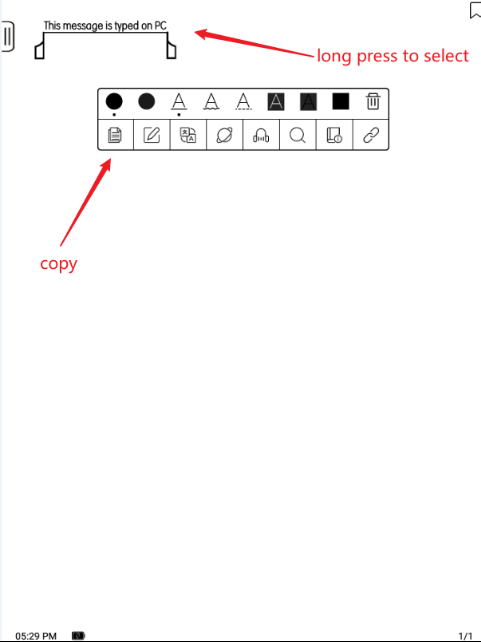
f. add new note
g. get into the text mode

h. paste the text into your note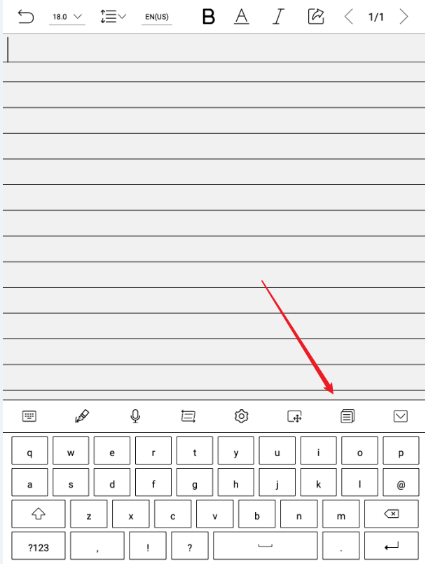
i. select the text
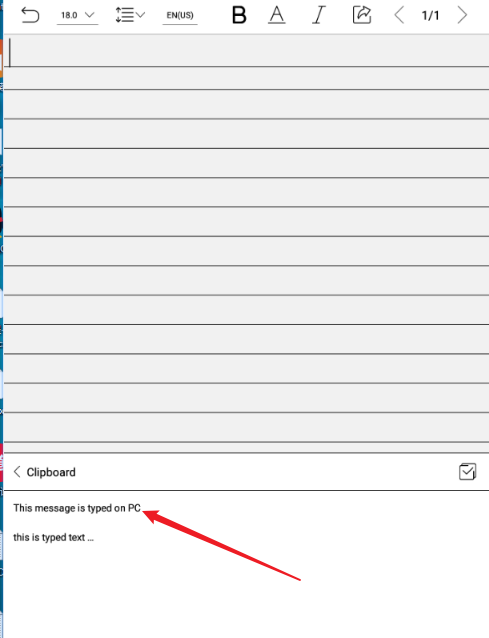
j. Successfully pasted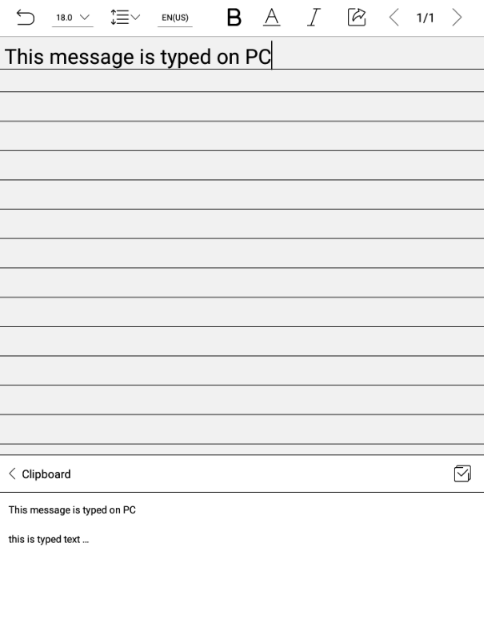 0
0
Please sign in to leave a comment.
Comments
1 comment