send2boox

Not receiving my docs.
Seems every time I use this Boox I cant do what I want to do
Suport requested days ago. But china on holiday again.
I guess we shall all stop working
WTF
-

Dear customer, sorry for the inconvenience.
In this case, please check the server of your device. You could find this setting via "Settings" → "More Settings" → "Server selection". If you pick the server as the US, then please log in to your account on https://push.boox.com. If it is CN then please log in to send2boox.com
Please log in to your onyx account on both the device and the website https://push.boox.com/ or send2boox.com. You could log in to your device via "Settings" → "Accounts" → "ONYX Account (Support all Sync and push functions)"
After login, you could go to your notes and hit the cloud icon to upload your note on the onyx cloud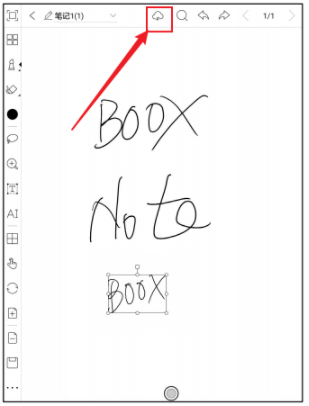
Thank you for your time and hope it helps.0
Please sign in to leave a comment.
Comments
1 comment