How to turn pages?

Sorry for this simple question. But my pages do not turn. How do I turn page when reading a book. I feel like I've tried everything with no success.
-

Dear customer, we are sorry for the inconvenience
In this case, we are wondering did you use third-party apps to read books? Or did you use the default NeoReaders? If you are using the NeoReaders, please make sure the touch function is on, then you could click the icons point out in the picture below to turn pages in a book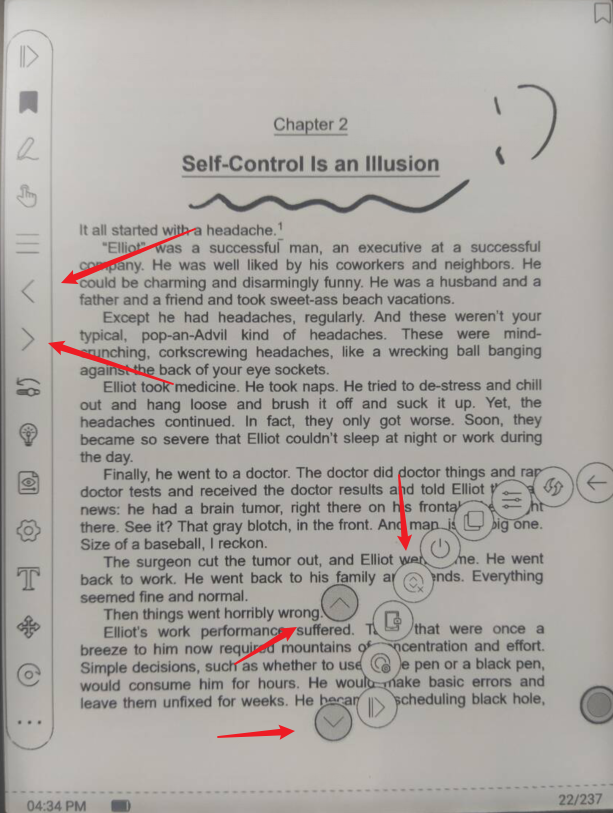
If you are using third-party apps, please check if there are settings for page-turning, or you could click the icon of up and down arrows to enable the buttons for page-turning. Then you should be able to turn pages in your books.
Many thanks for your time and hope it helps0
Please sign in to leave a comment.
Comments
1 comment