BOOX Drop open Webpage items in default Android browser

I am trying to use BOOX Drop to send links to web pages from my laptop to Nova tablet.
I have a problem with reading contents of a webpage on my Nova 3 Color because it uses some built in Drop viewer that is unable to process web page and just keeps processing it without end.
Could you please change default Webpage links on BOOX Drop app so that when I click a webpage link default web browser app is being opened with a new tab pointing to page from BOOX Drop Webpage item?
It would make browsing web pages consistent across the device.
Also could you add a Chrome extension to BOOX Drop so that I can instantly send a web page address from a PC to my device using a key shortcut?
-

Dear customer,
Sorry for the inconvenience.
In this case, you could search and install the send2boox chrome extension on the chrome web store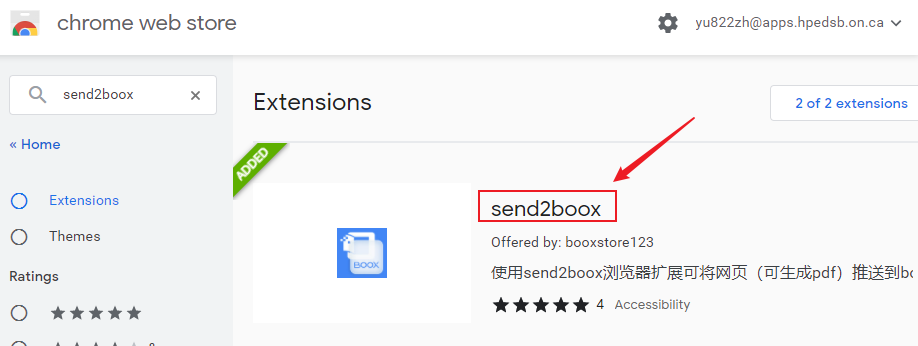
After that, please log in to your onyx account on your Nova 3 Color.
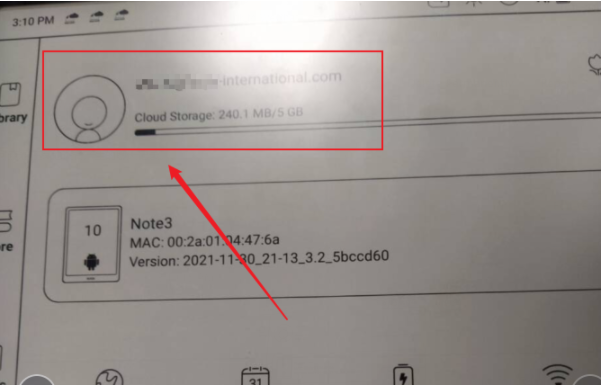
Then, you could go to the google extension and choose to use the US server.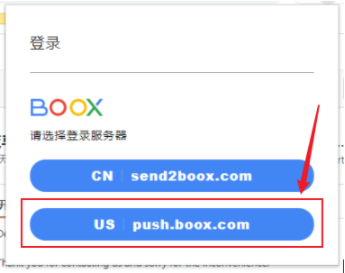
Log in to your onyx account on extension (this account must be the same as the one on your Nova 3 Color.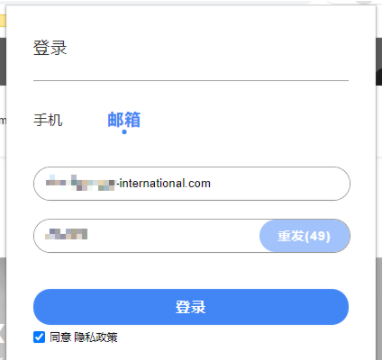
After that, you should be able to push the web link on your device and browse it.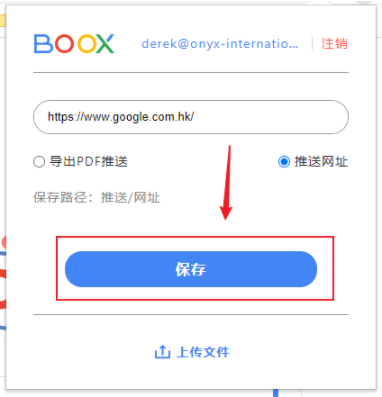
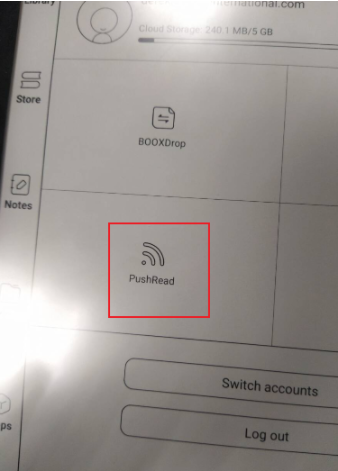
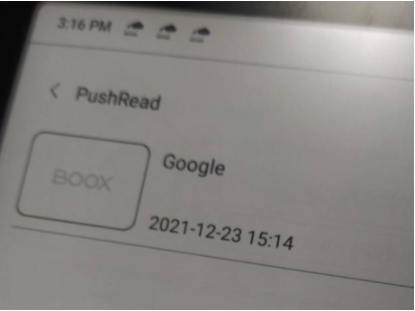
We also recorded your suggestion about opening a new tab on the Neobrowser and show pushed web links as the default. We will surely forward it to our tech team to improve our product in the future.
Many thanks for your feedback.0 -
Thank you for your response.
I tried this solution, but I find using Brave Sync way more convenient.0
Please sign in to leave a comment.
Comments
2 comments