Notes don't display color in screen casting / mirroring

Some parts of the Onyx Boox Max 3 (V3.2) display color when casting, while the handwritten notes don't. I have taken snips from a screen cast to illustrate.
In the picture below, we can see that three different pens at the top of the screen have color, but the handwritten notes, despite being written in color, don't display any color.
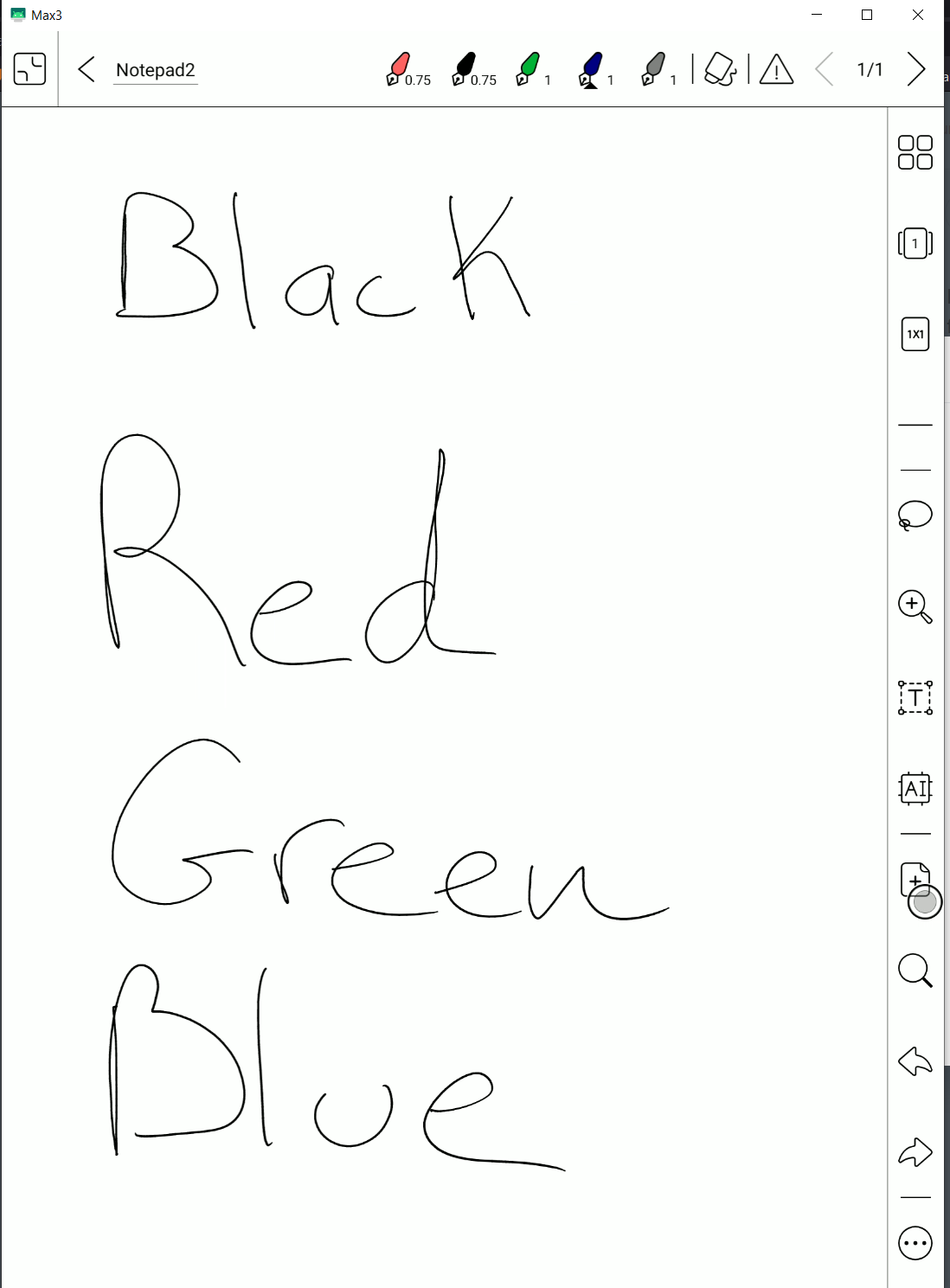
However, in the next picture below, we CAN see the color in the notes preview! Therefore, I think displaying color in the handwriting is possible with a firmware update. Thank you so much!
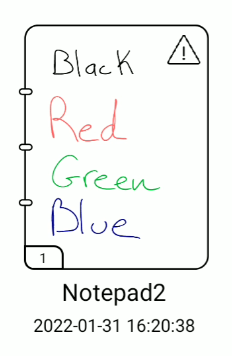
Tags: color colour screen cast mirror casting mirroring casted mirrored
-

Dear customer,
We apologize for the inconvenience. In this case, you could change the setting to make your notes display color when screencasting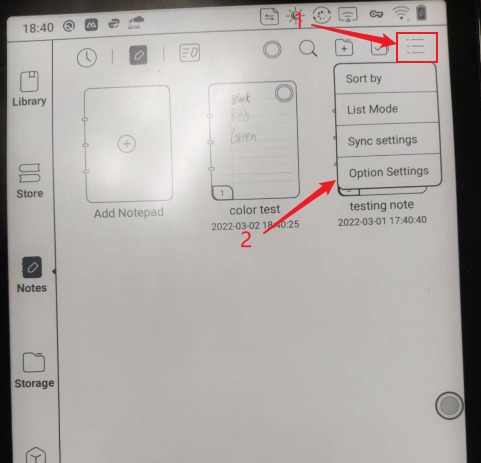
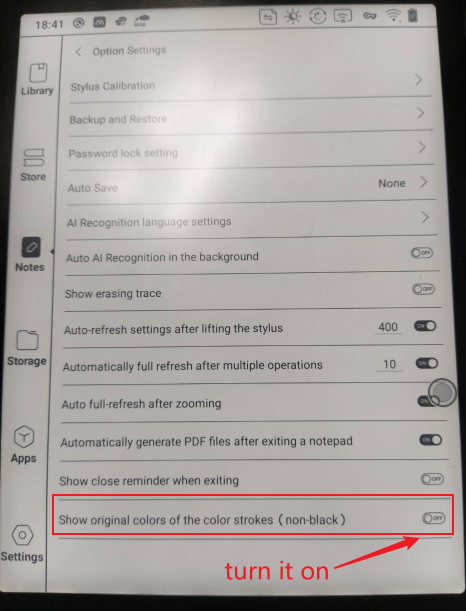
After that, it will be able to notes in colors when screencasting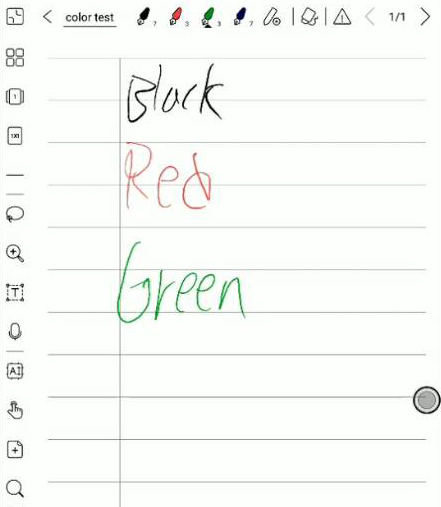
BOOX Shop Support Team1 -

Thank you! This is excellent!
0
Please sign in to leave a comment.
Comments
2 comments