Request for automatic disable palm, when enabling pencil in Neo Reader App, also different pencils would be great

Dear all,
a big feature request from my side for upcoming updates.
It would be great to have to possibility to automatically disable the hand palm when enabling the pencil in the Neo Reader app. And automatically reenable it once getting out of the pencil mode. Would improve the (my) user experience a lot, as I can not write with palm enabled, so I always have to deactivate it first before starting writing. And then enable it again for normal reading in the document.
Also it would be great to have the option for multiple pencils in the Neo Reader app, as there is in the Note app. For example I would like to have one pencil for writing and one for highlighting.
Let me know what you think! Or did I miss this options in v3.2? Did not see them.
Greetings,
Stefan
-

Dear customer,
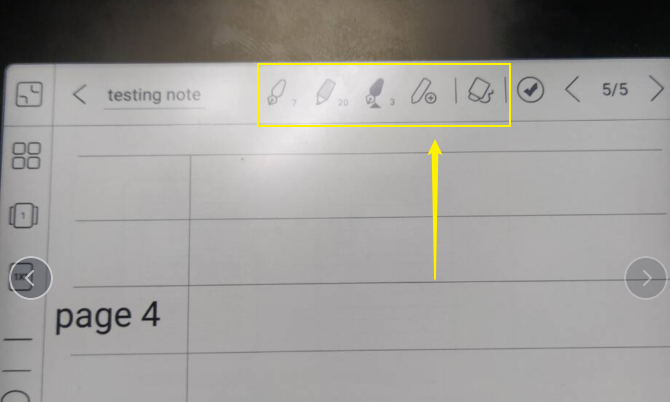
We have been forwarded your suggestion about disabling the touch feature automatically to our tech team and we will do our best to improve the software.For the feature of multiple pencils, it is already available in the firmware version v3.2. After you have updated the firmware, you could set multiple pencils on the top of the notepad like the picture below:
BOOX Shop Support Team0 -
Thank you for your answer,
for the feature of multiple pencils it looks like there was some misunderstanding with my request:
I wrote that it would be good to have this feature in the Neo Reader app, as it is already in the Note app! The screenshot you posted is from the Note app, I know that it is available there, but not in the Neo Reader app!
Greetings,
Stefan
0
Please sign in to leave a comment.
Comments
2 comments