Icons are gone

I have Nova 3. Firmware 3.2. When I scroll the bar to access the E Ink center, Wi-Fi, Bluetooth, the icons do not appear, everything is black.
0
-

Dear customer,
We apologize for the inconvenience. In this case, please set the system bar in traditional mode check if it is possible to find more options:
1) Please go to the settings page and click "System Bar"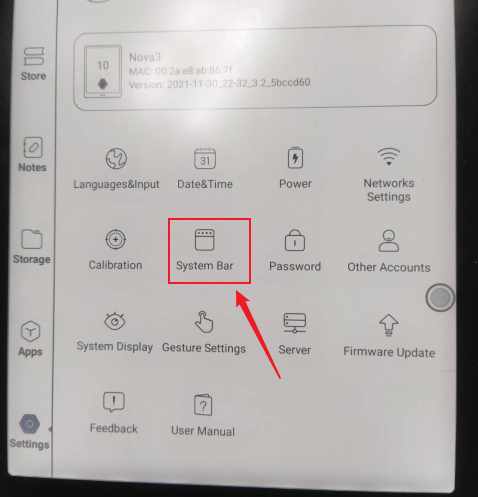
2) Then, please select "Traditional Mode"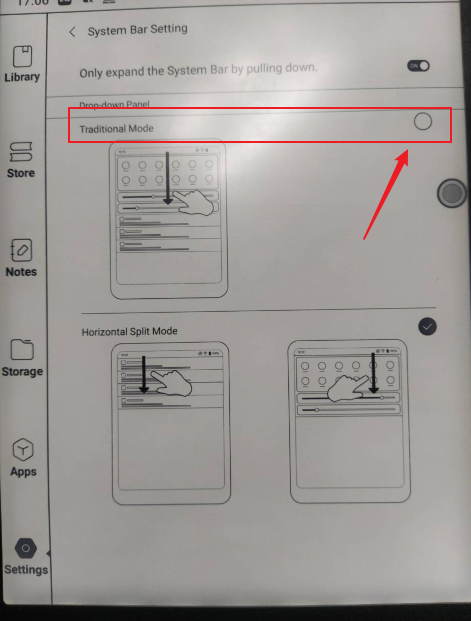
After that, please swipe down from the top of the screen and check if you are able to find icons. Many thanks for your understanding.BOOX Shop Support Team
0
Please sign in to leave a comment.
Comments
1 comment