Notes app template bug

Hi!
I'm using a Boox Note Air 3 C in the 2025-12-24_18-04_4.1.1-rel_1224_16d194534 version and I'm having an issue with the Notes app. I use a custom template in PDF format consisting of a graph paper that I made in Inkscape (I tried to attach it as a shared file, but it is not possible). The problem is that, when I stop moving through the pages and start writing, after some time without moving, the screen refreshes and the template doesn't render properly, leaving the right side of the screen in gray so disturbing the visibility of the lines of the page. I share a photo of the problem taken with my phone with you. Look carefully at the differences between the left side (the one closer to the toolbar) and the right side. The one that is correctly rendered is the left side, and, when moving to the right in the image, the problems start to appear. I hope there is some way to solve this problem. I'll be waiting for your reply.
Thanks in advance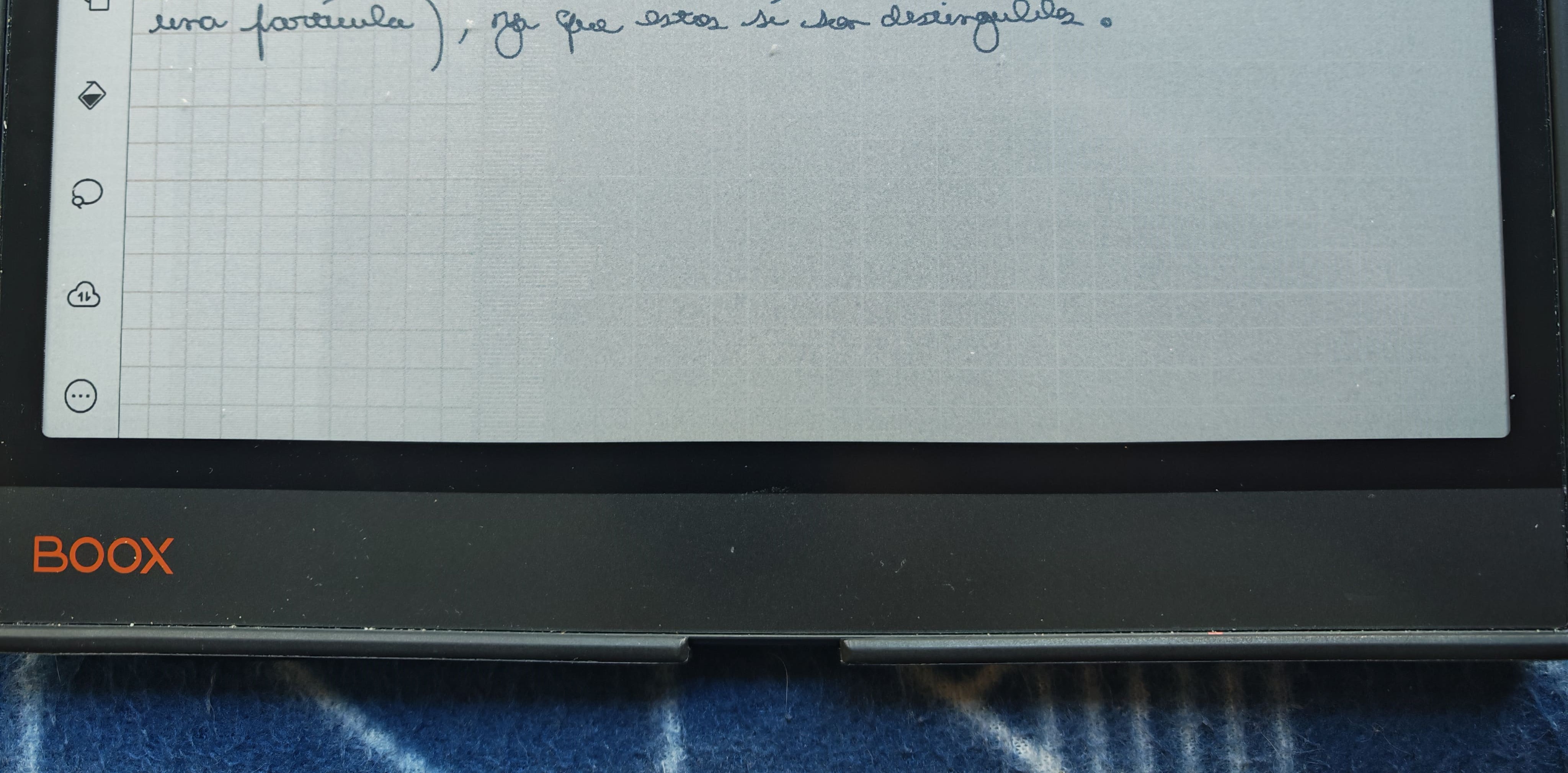
-
Official comment

Dear customer,
We apologize for the inconvenience. In this case, you could try to open the Notes app > swipe down from the top right of the screen to bring up the Control Center > EinkWise > set the refresh mode to HD. Then, please check if the problem can be fixed.
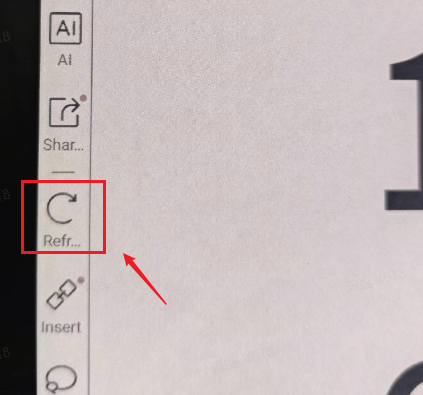
If the problem persists, you could try to manually refresh the screen by clicking the "Refresh" button on the toolbar. Then, please check if the problem can be fixed.
-
Thanks for your fast answer,
I noticed that in the HD refresh mode this doesn't happen, but it is not an adequate refresh mode for note taking, as it is not an activity as stationary as, for example, reading. You're permanently switching between adding new pages and moving through the document (the dynamic part) and writing (the "stationary" part). About the manual refresh, I also noticed that it solves the issue, but it is not a long-term solution, considering that it is disturbing to be constantly refreshing the device manually. I hope you can find a better solution, I'll be waiting for your reply.
Thanks in advance
0
Please sign in to leave a comment.
Comments
2 comments