Kindle page does not turn over in a special case

The page turning button on the special case of Nova Air C does not turn the Kindle page.
In the case of Nova Air, it turned over.
Press the page turning button to increase / decrease the volume
-

Dear Customer,
To make the buttons work with Kindle:
1) Open a book in the Kindle app
2) Open the formatting menu where you can change text size (tap the Aa)
3) Select More
4) Select Turn Pages with Volume Controls
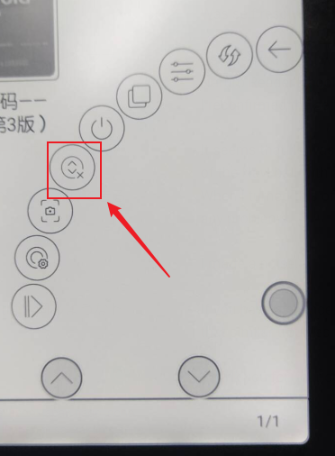
After you set it in once it works with other books. This also works with Google Playbooks.If still does not work, please disable the "Scrolling Buttons" in the Navigation ball and try again.
 0
0 -
I've been checking the Kindle's main settings for a long time.
By setting in the format menu, I turned the page with the volume button.
solved. thank you!0
Please sign in to leave a comment.
Comments
2 comments