Neo reader 3.0 menu bar hidden

On my nova air 2 plus device with latest software I have somehow hidden the menu bar in Neo reader 3.0 application. It is not minimized in the top right corner and I can't bring Manu back to use. How do I bring the menu bar back.
1
-

Dear customer, we apologize for the inconvenience.
In this case, you could try the following steps to bring the menu bar back to the page.
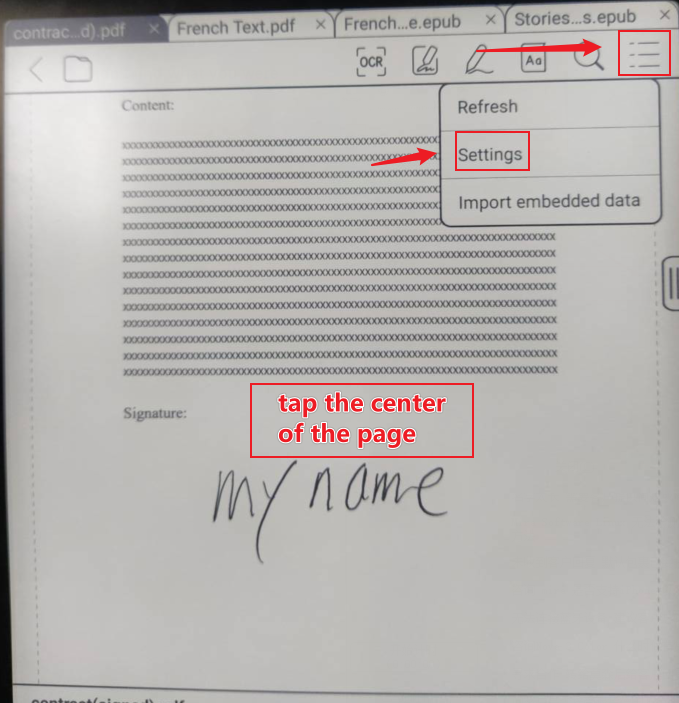
1) Tap on the center of the page and click "Settings".
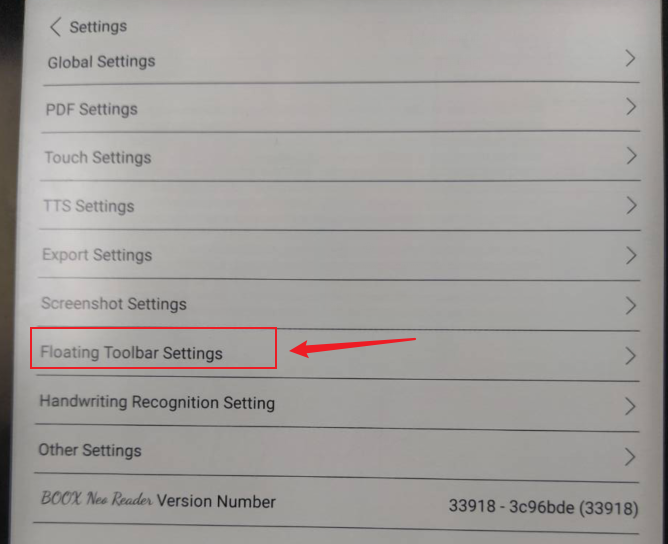
2) Click"Floating Toolbar Settings"
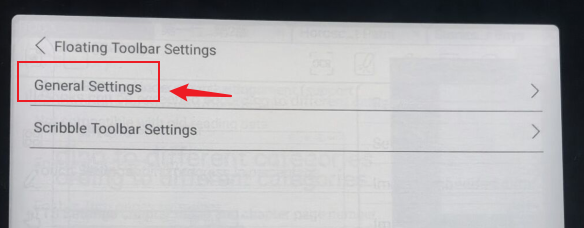
3) Click "General Settings"
4) switch "Enable Floating Toolbar" on.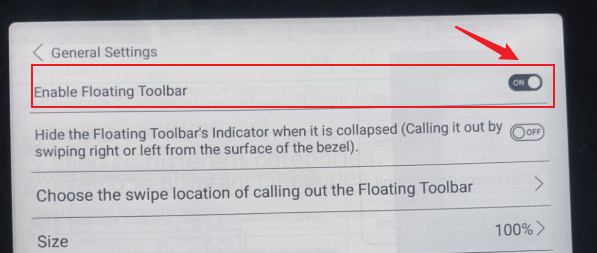
Many thanks for your time and hope it helps.
-1 -
Thank you. It works. I was missing the "tap on the center of the screen" :-)
1
Please sign in to leave a comment.
Comments
2 comments