Go 10.3 Update 4.1 Lasso Copy Paste not working

I just installed firmware update 4.1 on my Go 10.3.
Now when I try to use the lasso to copy and paste, it doesn't work. I see "copied to clipboard" but when I try to long press to paste, it switches to the drawing tool and nothing happens (except a mark where I long pressed!)
Am I doing something wrong?
-
正式評論

Dear customer,
We apologize for the inconvenience. In this case, we would appreciate it if you could take a video to record the problem. Then, please send us the video by submitting a request via the link below:
https://help.boox.com/hc/en-us/requests/new?ticket_form_id=12478437026836
Our team will get back to you as soon as possible. Many thanks for your effort and understanding.
-

Same problem here
2 -
I tried to send a video to you but the file was too large (55Mb) for your support system to accept.
I've attached screen shots here.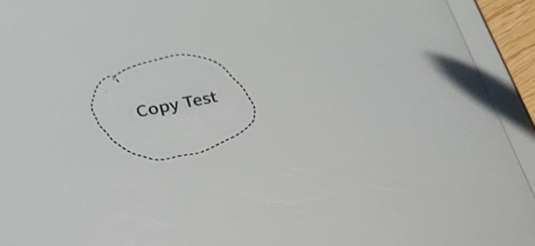
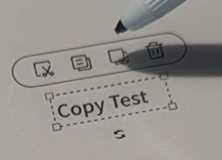
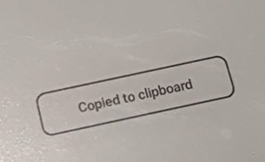
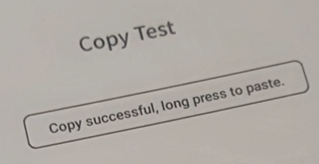
I held the stylus down for around 2-3 seconds and this happened.
 0
0 -
Dear customer,
We apologize for the inconvenience. In this case, you can try to long-press the page with your finger to bring up the paste button. For your reference, please check the video at the link below:
https://drive.google.com/file/d/1c_PnRwTU8Bs9uOPhLLEF5hC8lQdzy0nG/view?usp=drive_linkAfter that, please check if the problem can be fixed.
1 -
That works - although it would be nice if the long press with the pen worked, because that's how it worked previously - maybe one for the next software update?
1 -
Dear customer,
In this case, we have forwarded your suggestion to the relevant department and will do our best to improve the software on our device in the future. Many thanks for your understanding.0 -

The same problem - copying does not work between pages for Onyx Boox Note Air 3. Following the instructional video step by step does not help, because after copying an object and holding your finger down for a long time, the context menu with the paste option does not open.
1 -
Hi Piotr,
We apologize for the inconvenience. We suspect the problem is related to the gesture settings. In this case, please check if you have enabled the Tap/Long Press.
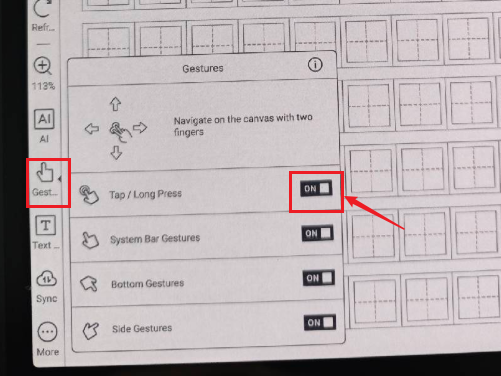
Please enable the Tap/Long Press gesture and check if the problem can be fixed.
0 -

Hello
I have a similar issue with a Boox note Air 3C : no paste menu pops up after a long press on the screen (both with pen or finger), then no paste from one page to another is possible in notes. this is very annoying (and used to work before)
furthermore, I have no long press option in the parameters / gesture menu, only "Bottom" "Side" and "Other", the latter concerning 3-fingers screenshots.
thanks for your help
0 -
Hi Im,
We apologize for the inconvenience. In this case, please open a notebook first. Then, please click the "Gesture" on the side toolbar and enable "Tap/Long Press". After that, please check if the problem can be fixed.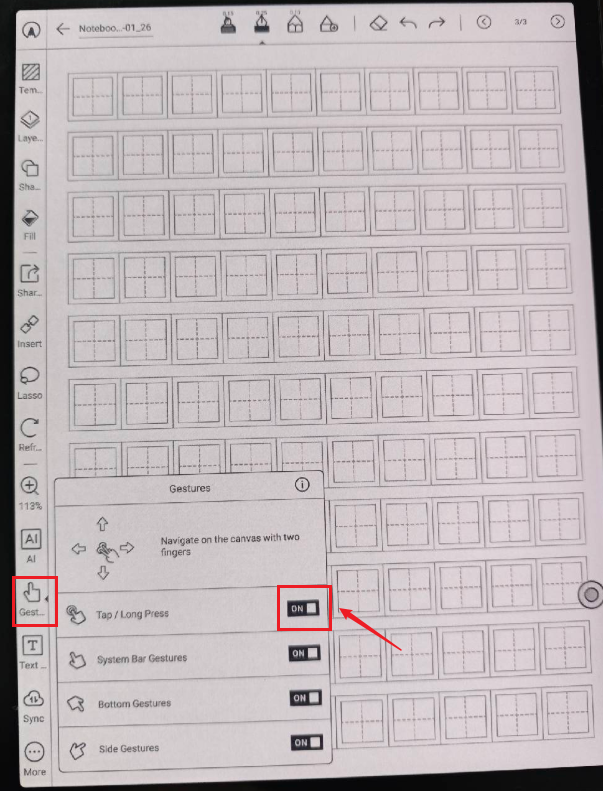 0
0
請登入寫評論。
評論
10 條評論