Screen Glitch After Latest Firmware Update – Note Air 4C

Hello,
After installing the latest firmware update on my Note Air 4C (updated on December 2nd, 2025), I started experiencing several issues that did not exist before:
-
When I power off the device, half of the screen turns completely black, as if the E-Ink panel were damaged.
-
However, when I turn the device back on, the screen works normally, so it does not appear to be a hardware failure.
-
I am also experiencing occasional freezes and unresponsive moments while navigating the interface, which only started after the update.
-
Full refresh settings and rebooting do not solve the issue.
This behavior suggests a possible firmware bug affecting the E-Ink refresh controller during shutdown.
Could you please confirm whether this is a known issue with the latest update and advise on how to resolve it?
I would appreciate guidance or a patch if available.
-
正式評論

Dear customer,
In this case, we would appreciate it if you could reproduce this issue on your device. After that, please immediately submit feedback via "Settings" > "Feedback" > "+" on your device. Please make sure that you tick the option "send logs" and please describe the question in the feedback. Our technical team will get back to you as soon as possible after you submit the Feedback. Many thanks for your effort and understanding. -

I'm also experiencing such issues since the 2025-11-21 update which installed 2 days ago, but it seems my case is more extreme than what Rodrigo described, making my Air Note 4C virtually unusable for reading.
When switching pages, after a few seconds on the new page, the previous screen is displayed for several seconds, and than returns to the correct screen. This behavior appears in several apps I use regularly for reading as well as in some system apps and settings.
Details provided through the tablet feedback as mentioned above.
0 -

I also have the same issue, today, immediately after Firmware Update, my NoteAir4C device became extremely slow and unresponsive. It's virtually impossible to use.
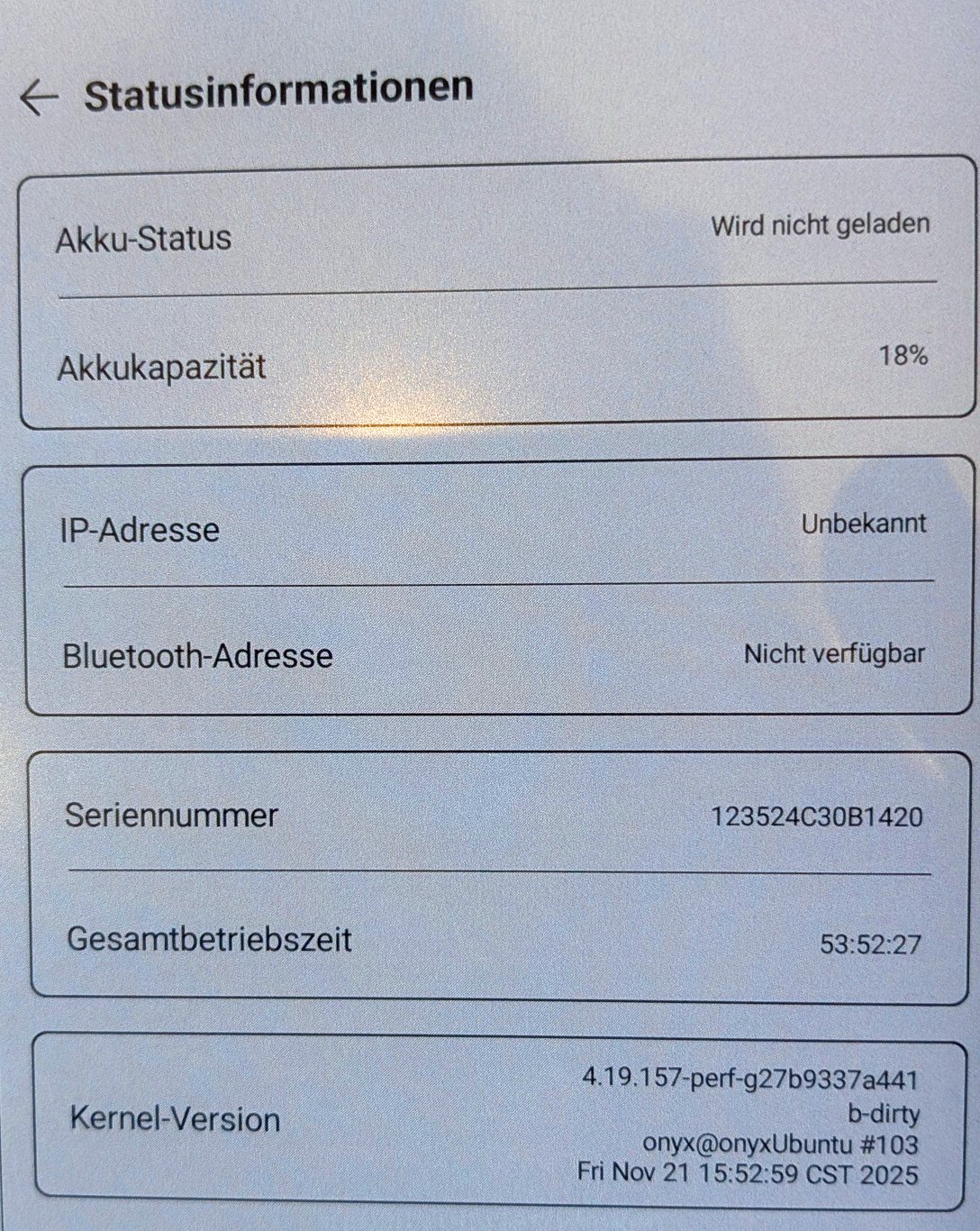
This is my Kernel Version:
4.19.157-perf-g27b9337a441
b-dirty
onyx@onyxUbuntu #103
Fri Nov 21 15:52:59 CST 2025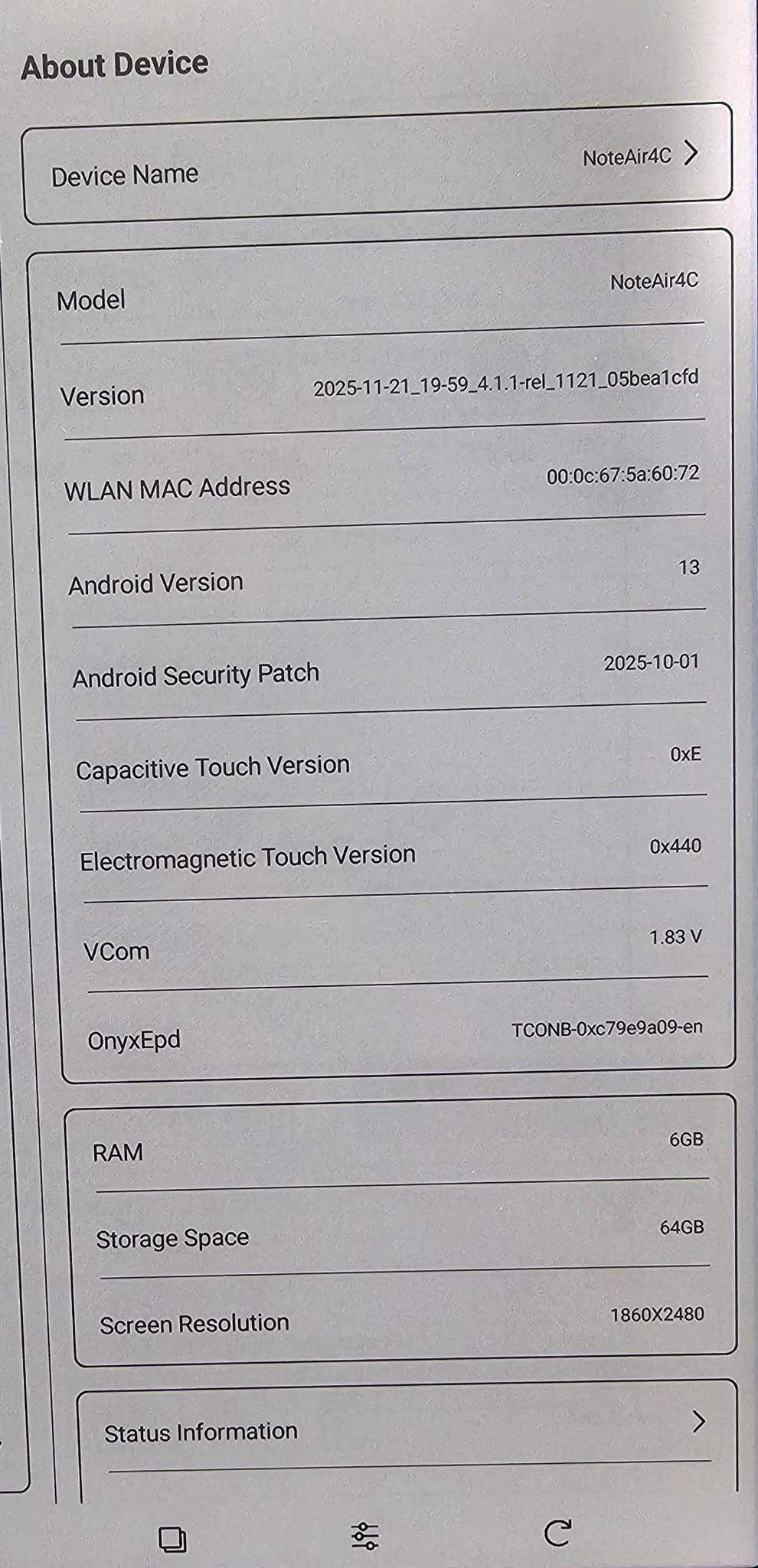 0
0 -
Hi Ali,
We apologize for the inconvenience. In this case, we would appreciate it if you could reproduce this issue on your device, and please take a video to record the problem. After that, please submit feedback via "Settings" > "FAQ & Feedback" > "+" on your device. Please make sure that you tick the option "send logs" and please describe the question in the feedback.
Then, please send us the video by submitting a request via the link below:
https://help.boox.com/hc/en-us/requests/new?ticket_form_id=12478437026836
Many thanks for your understanding.
0 -
I sent a message from the device two days ago, but I haven't received any response. The device is impossible to use.
0 -
Hi Rodrigo,
Upon checking your email address, we couldn't find your feedback on our end. In this case, we have sent you an email to follow up on your case. After receiving your info, our team will check and get back to you as soon as possible. Many thanks for your understanding.0 -

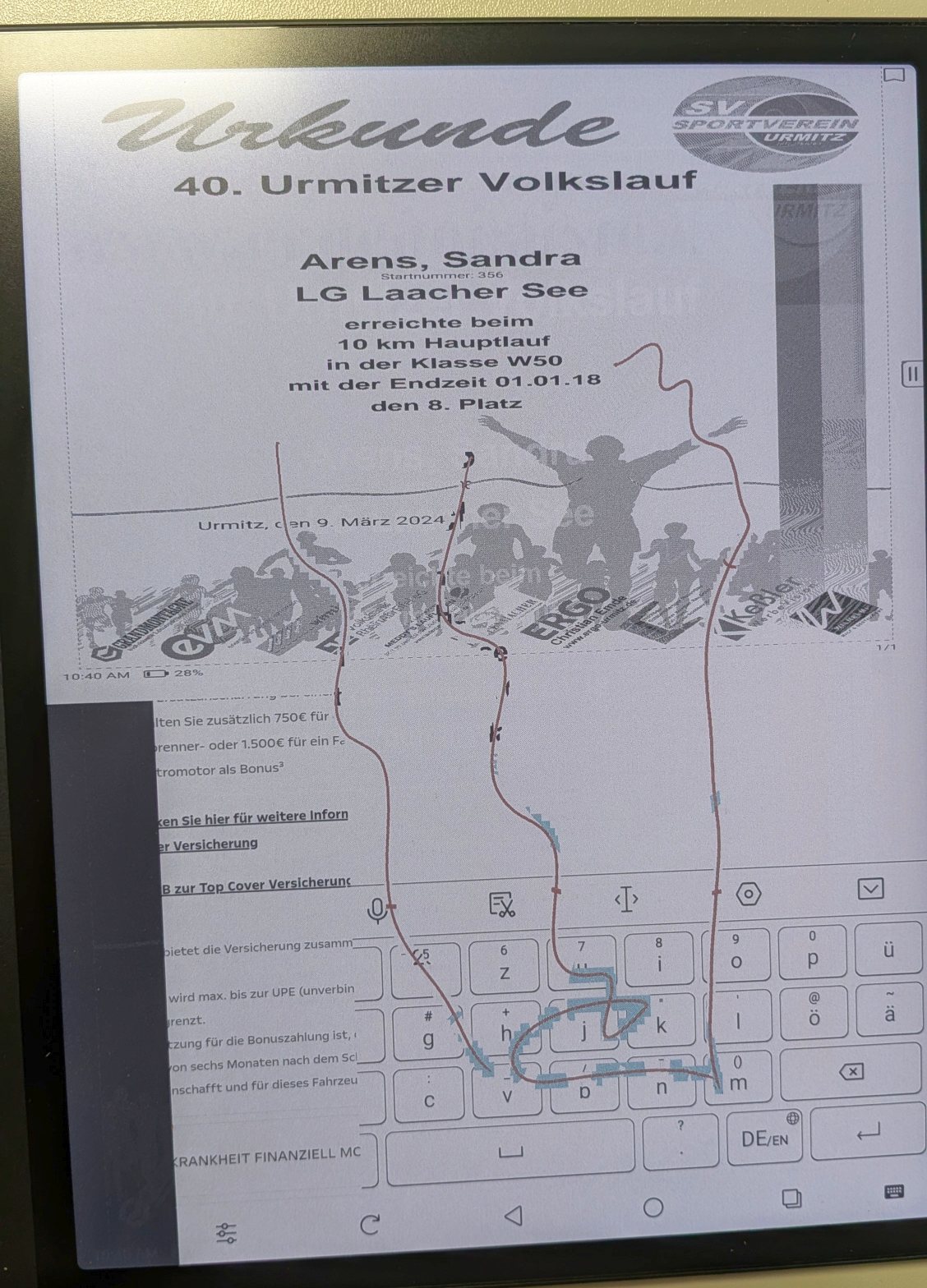
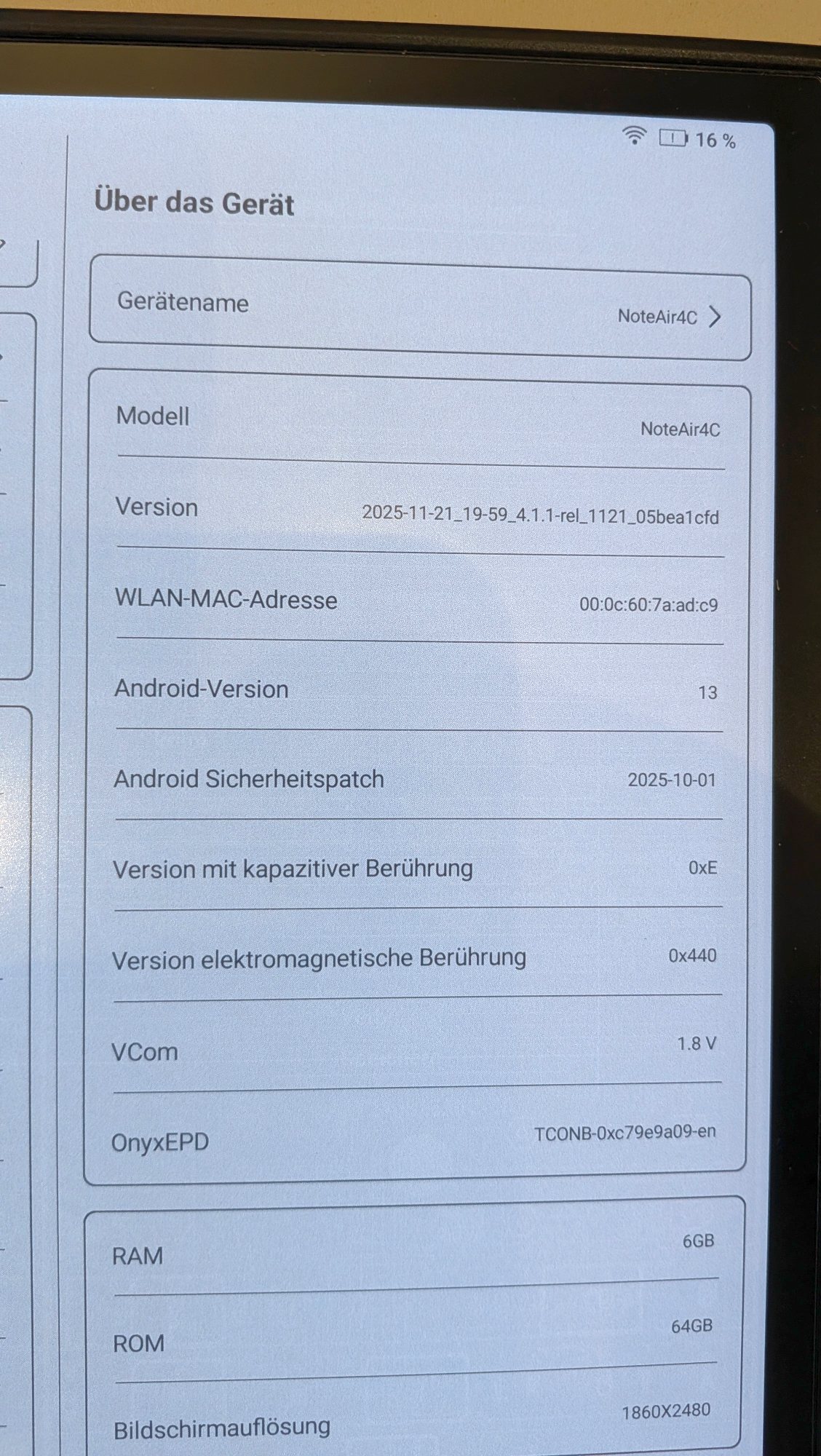
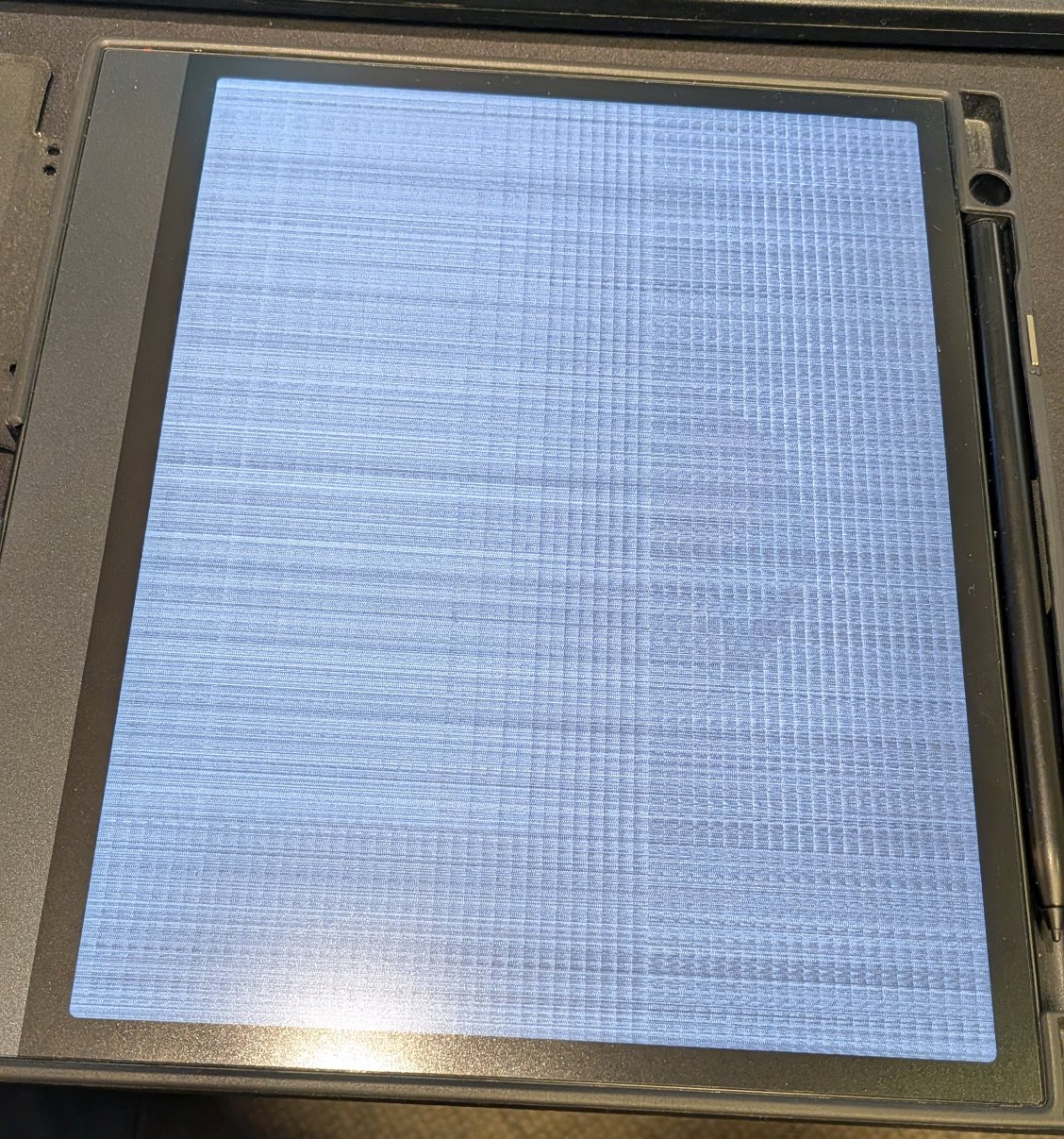
Hello, since the last firmware update, my device has been experiencing various problems: it freezes frequently for 1-2 minutes, the display malfunctions and shrinks to half its height or only shows stripes (see photos). Normal use is no longer possible. I have performed a factory reset several times, but the problem persists. I submitted a support ticket today (#139932).

 0
0 -
Hi Volker,
Our tech team is aware of this issue and has fixed it in the new firmware. In this case, we have informed our team to send you the new firmware. In this case, please check the firmware update via Settings > More Settings > System Update later. Once you have updated the firmware, please check if the problem can be fixed.
-1 -
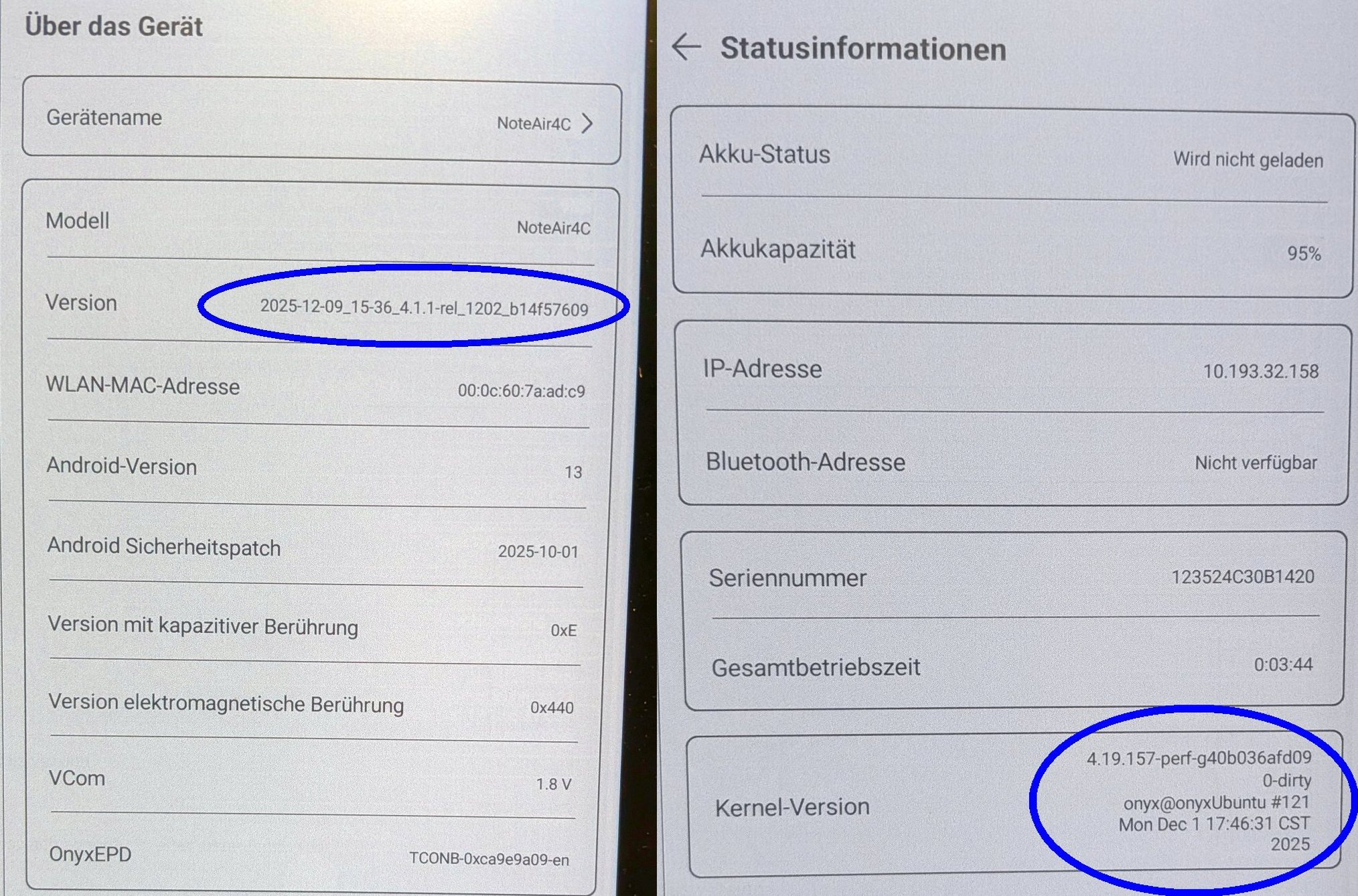
Thank you for the fast help. Firmware update has arrived. It works fine!
 0
0 -
Hi Volker,
Thank you very much for your reply, and we are glad the problem is fixed. Please contact us anytime if you have any questions. We hope you have a wonderful day!0 -

Hello,
I am having the same issue. When I check for updates, it says my device i up to date.
Can you also send the update to my device? Serial number is 123525324B2864.
Thanks
0 -

Hi Booxshop Serice.. I performed the same update and my screen is unreadable. I understand your team has another update that may fix the problem. If I am unable to read the screen, how would I be able to perform any further updates?
Billy
0 -

Hello, I've also been impacted by issues similar to those described throughout here. Does there happen to be a timeline for a wide release of the new firmware that addressed Volker's issues?
0 -
Hi Pieter,
We have informed our team to send you the new firmware. In this case, please check the firmware update via Settings > More Settings > System Update later. Once you have updated the firmware, please check if the problem can be fixed.0 -
Hi Sing2me96,
Upon checking, our tech has already sent you an email to solve the problem. In this case, please charge the device with a 5V/3A charger for a few minutes. After that, please do not remove the power source, and please directly long-press the power button for about 20 seconds and see if it is able to turn on the device and access the settings.0 -

My NoteAir4C screen is unreadable just after the latest firmware update.
How can I get a firmware update to solve this issue?
0 -

I have the same issue. New air note 5, worked for the first 10 mins then I did a firmware update and now the screen turns black and locks up when ever I try to write a note. It reset fine but glitches every time I try to write anything.
0 -
Hi philsogood,
After checking with our tech team, they have sent you a firmware update. In this case, we suggest updating the firmware via "Settings" > "More Settings" > "System Update"on your device. After that, please check whether the problem persists.
0 -
Hi Cmcdaniel13,
After checking with our tech team, they have sent you a firmware update. In this case, we suggest updating the firmware via "Settings" > "More Settings" > "System Update"on your device. After that, please check whether the problem persists.
0 -

Hello,
I am having the same issue. When I check for updates, it says my device i up to date.
Can you also send the update to my device? Serial number is 123524B24B0256
Thanks
0 -
Hi Amir,
We would appreciate it if you could provide us with the current firmware version of your device via Settings > About Device > Version. Many thanks for your understanding. We are looking forward to hearing back from you.0 -

Hello,
I am having the same issue. When I check for updates, it says my device i up to date.
Can you also send the update to my device? Serial number is 123525324B0469.
Thanks
0
請登入寫評論。
評論
22 條評論