Stylus tip offset when annotating on BOOX Note 4C – suggestion for calibration option

Hello BOOX Support Team,
I am using a BOOX Note 4C with a stylus, and I’ve noticed an issue while annotating.
When I write or annotate, the ink is not aligned with the physical tip of the stylus. The strokes appear slightly above the nib, instead of directly under it. This makes precise writing and annotation difficult, especially for small text or detailed marks.
I believe this may be related to screen–stylus parallax or digitizer offset. My stylus itself works fine, but the pointer position seems vertically shifted.
Suggestion for improvement:
It would be very helpful if the system included a stylus calibration or offset adjustment option in Settings. For example:
-
X / Y offset sliders (or vertical offset only)
-
A calibration screen where the user taps points and the system adjusts the pointer alignment accordingly
This would allow users to manually fine-tune the stylus position and match the ink exactly to the nib, similar to calibration options on some graphic tablets.
Thank you for your great work on BOOX devices. I hope this feedback helps improve the writing experience even further.
Best regards,
-
正式評論

Dear customer,
In this case, you could reset the calibration via "Settings" >"More Settings" > "Calibration" > 'Reset" on your device. After that, you don't need to manually calibrate the pen. Please check whether the problem continues.If the problem persists, this issue might be caused by the magnet which is in the case, or the flap in the magnetic case. In this case, please try not to fold the cover of the case or the flap underneath the device, or please take off the magnetic case and check if the problem persists.
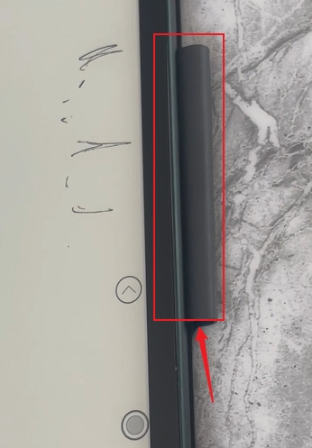
If the problem persists, we would appreciate it if you could reproduce this issue on your device, and please take a video to record the problem. After that, please send us the video by submitting a request via the link below:
https://help.boox.com/hc/en-us/requests/new?ticket_form_id=12478437026836
Our team will get back to you as soon as possible. Many thanks for your effort and understanding.
請登入寫評論。
評論
1 條評論